Time — Professor Jeff Feddersen
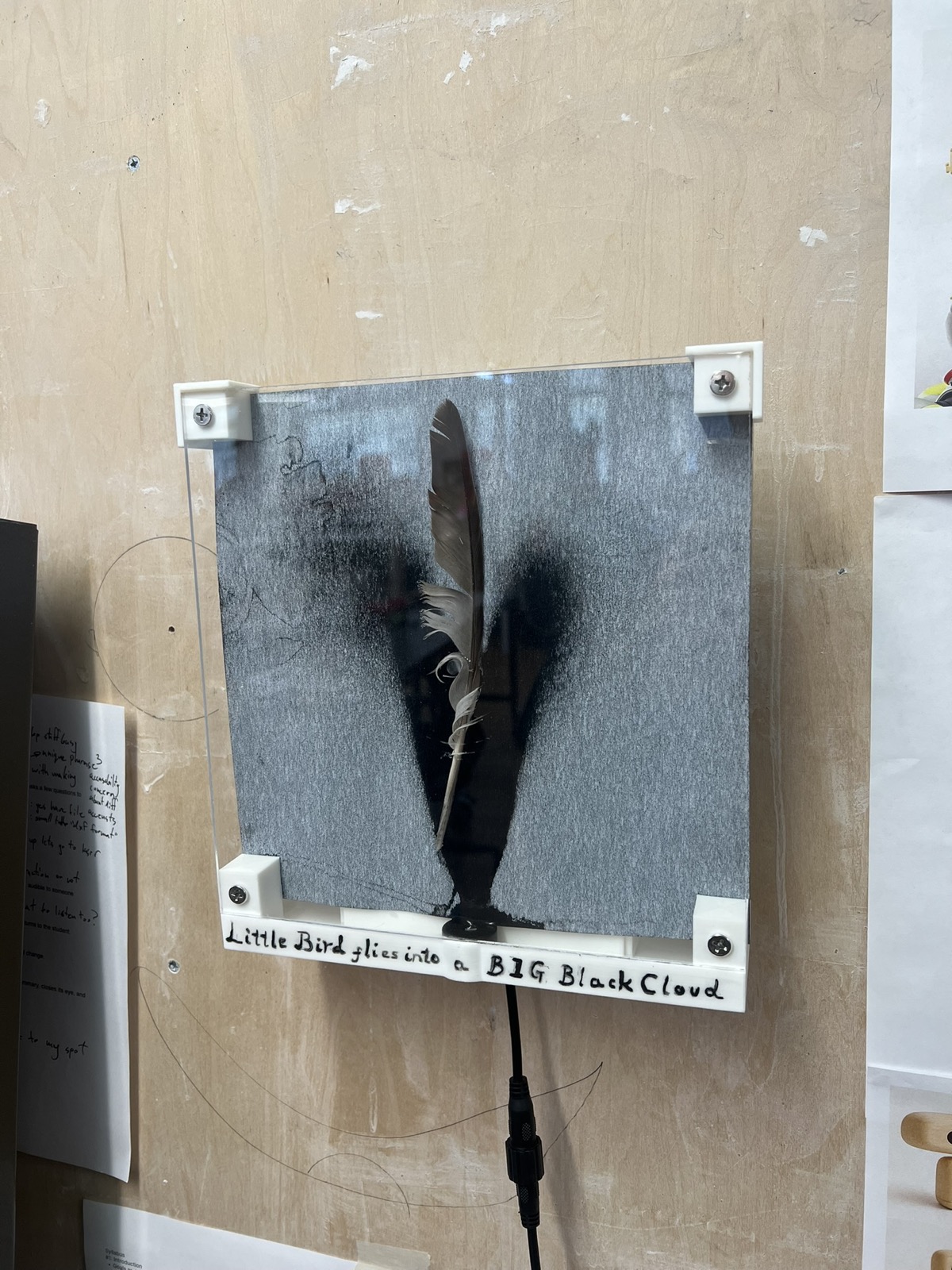
Time Midterm: Little Bird Flies into a Big Black Cloud
Parts Diagram
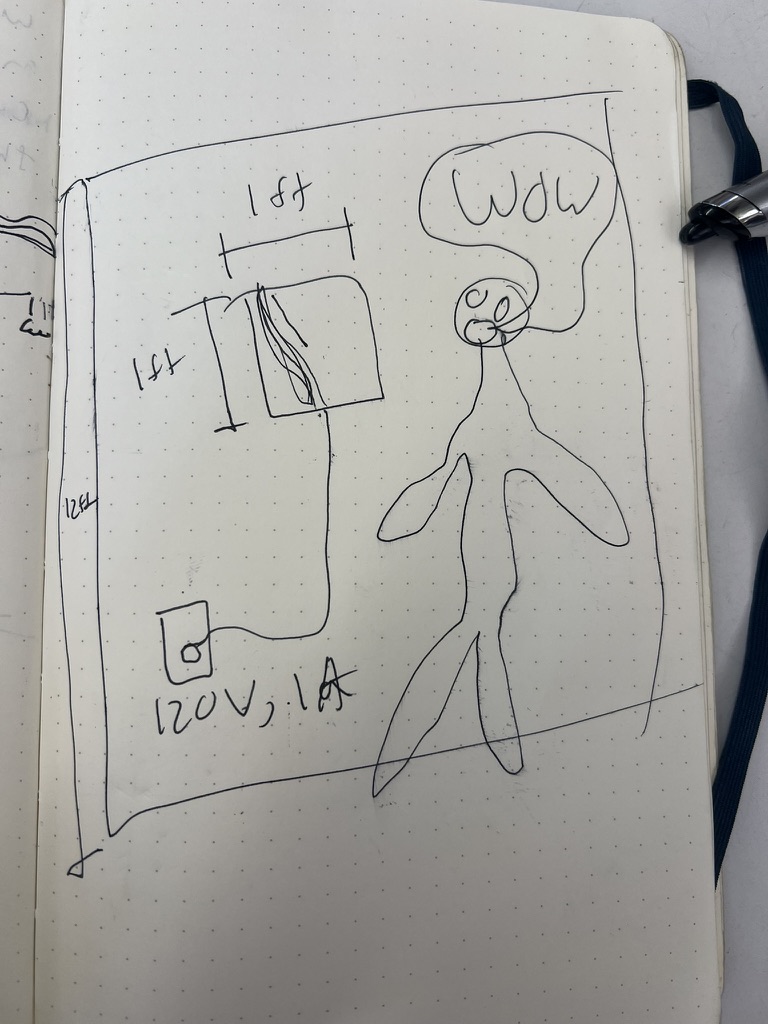
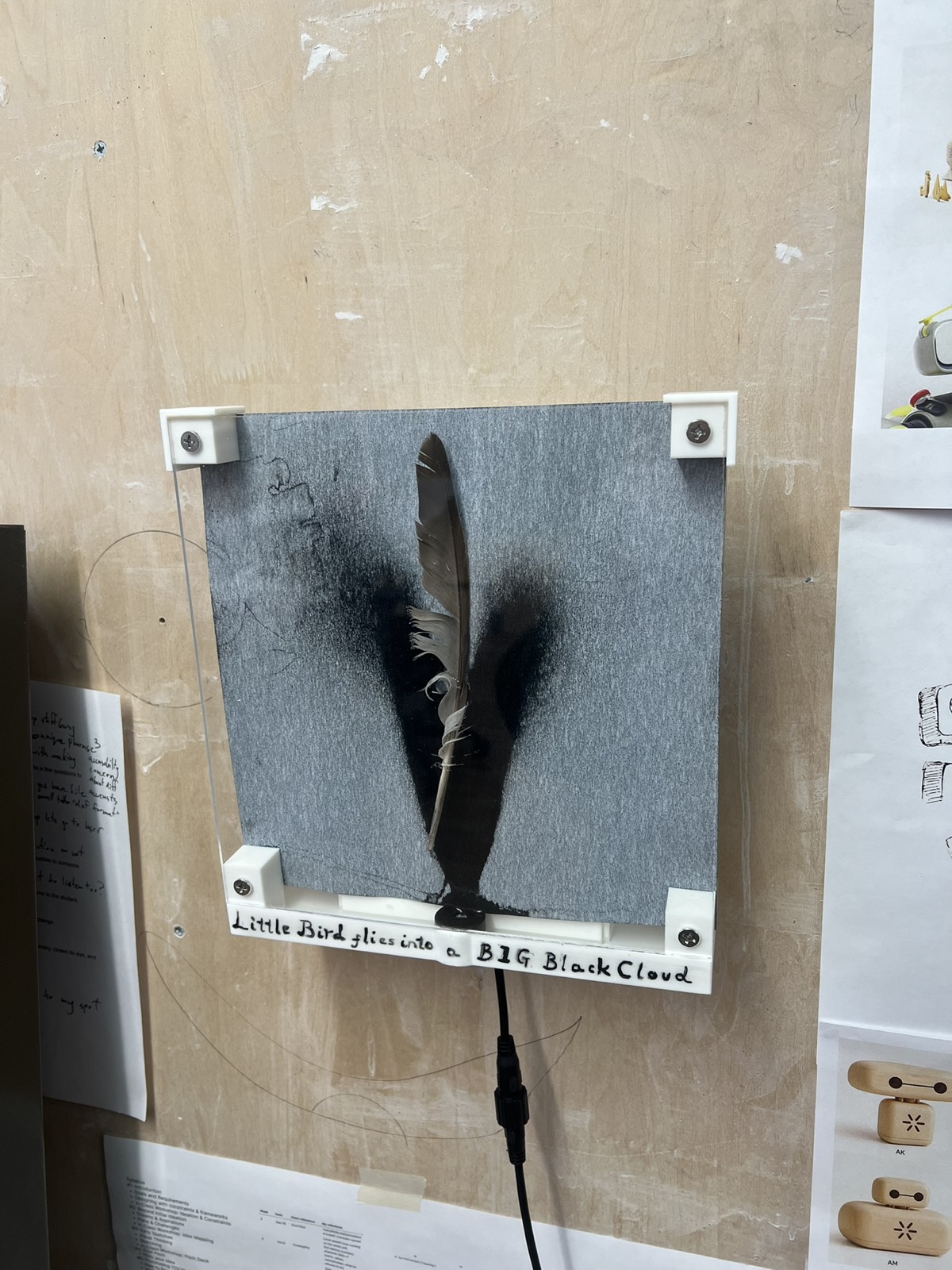
With a successful prototype, I felt my body vibrating with the tension of how to make this. Before I start a build like this, I like to draw a loose diagram to conceptualize how I plan the build to go. Loose, visual, flowy.
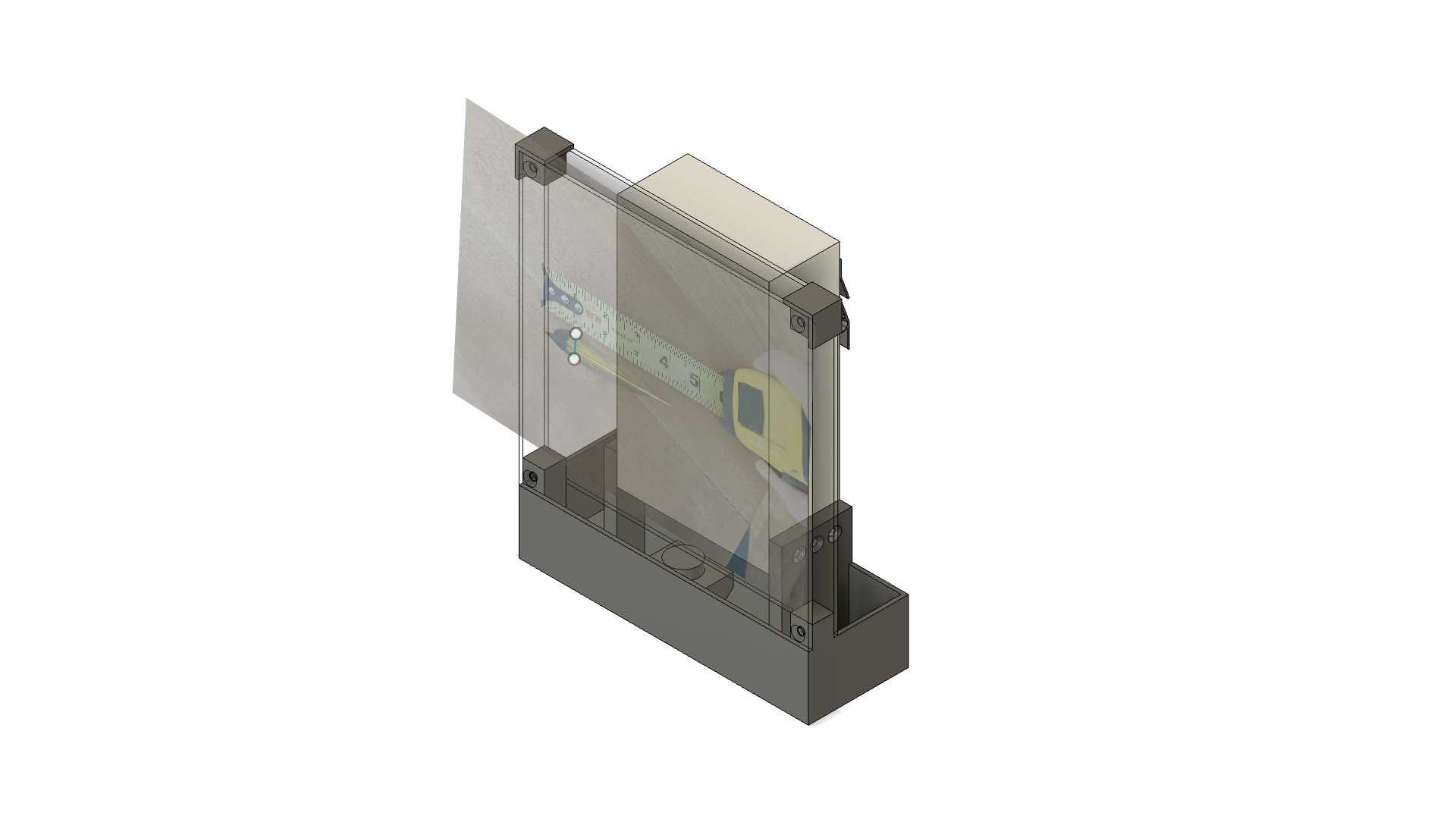
Massing Model
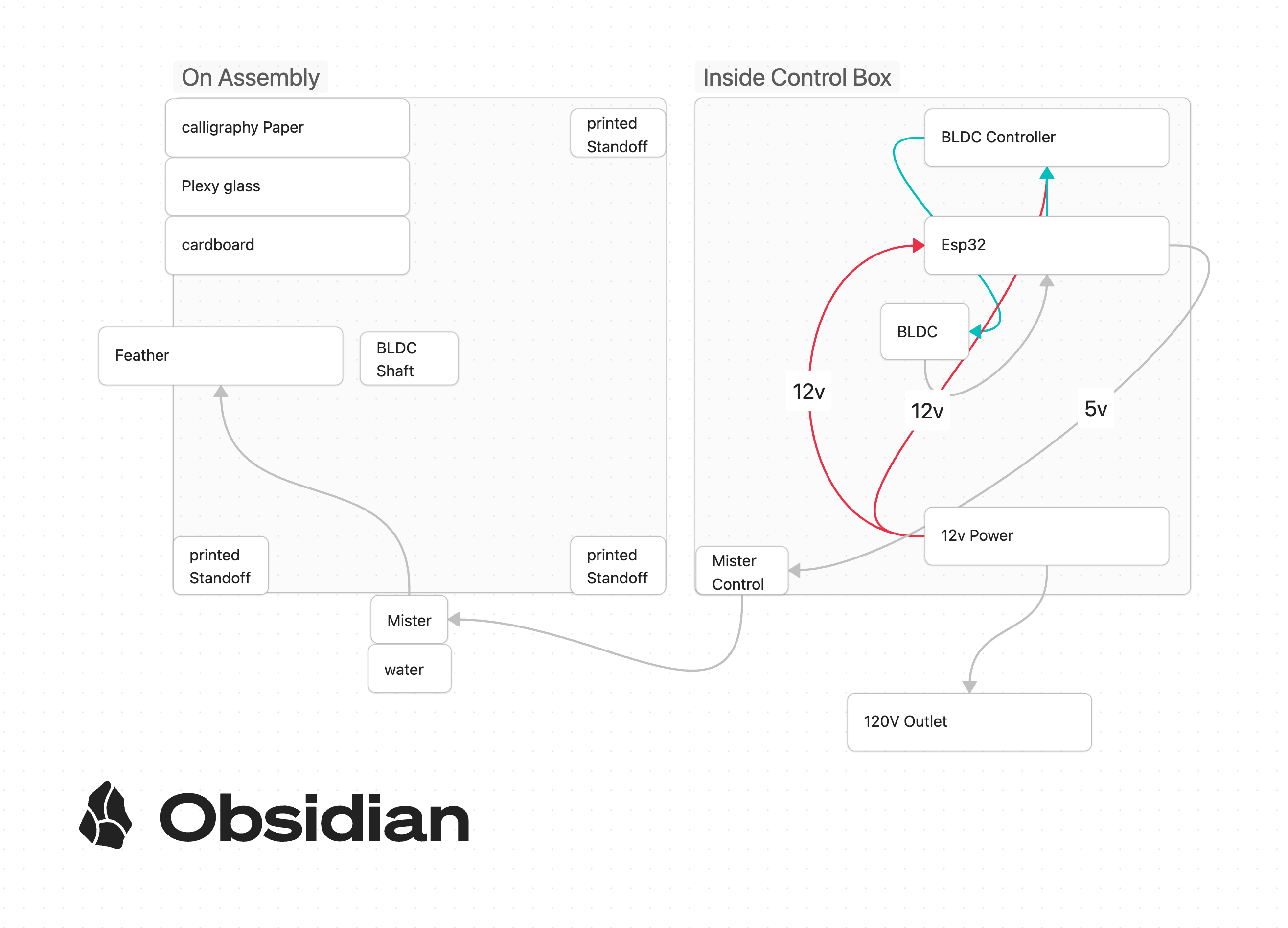
The first thing I had to do was purchase materials, but how much of each material? I answered that question with this loose massing model. This work allowed me to size the plexy glass and confirm some basic dimensions as I put together my bill of materials for ordering.
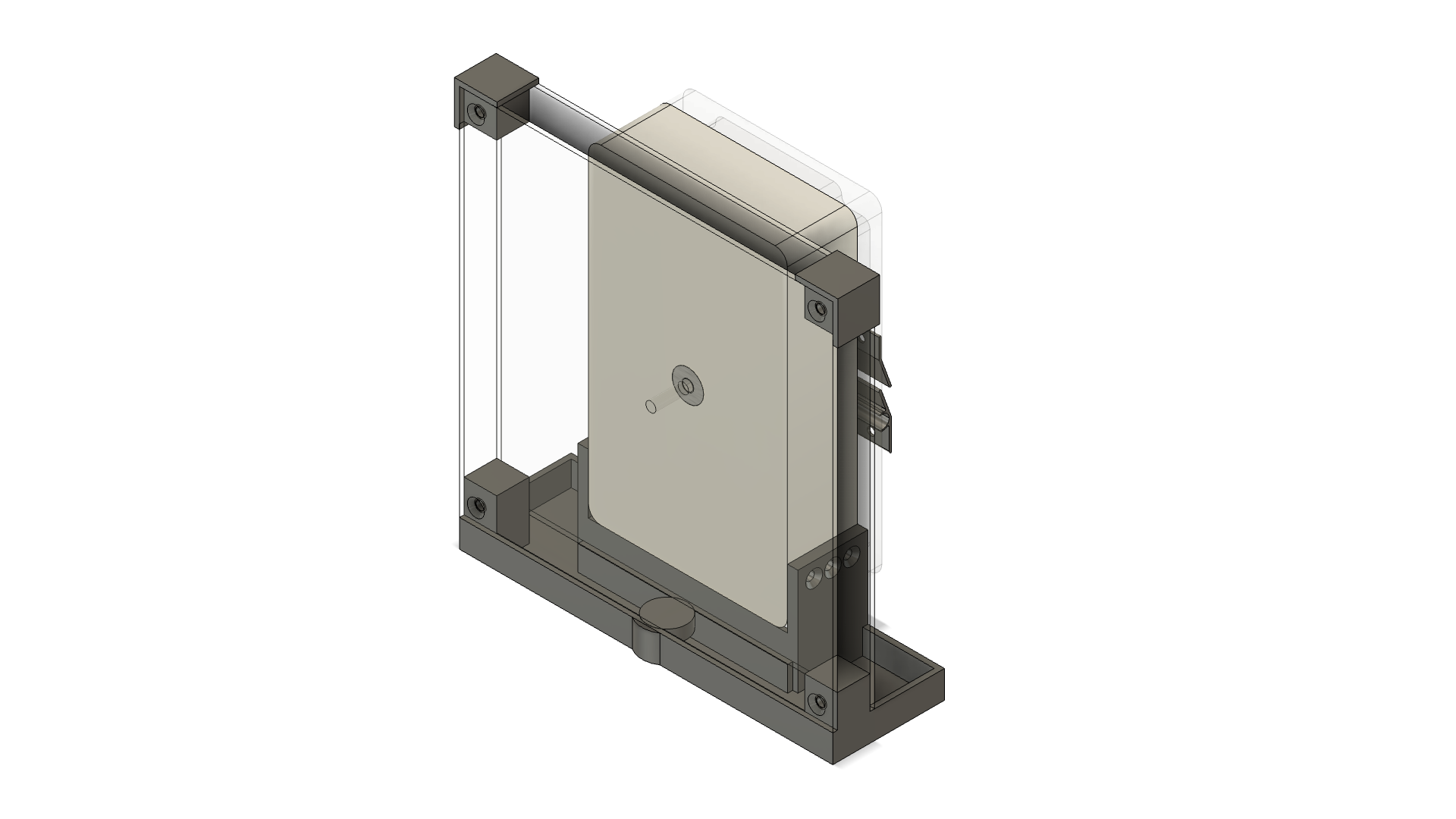
Fabrication Model
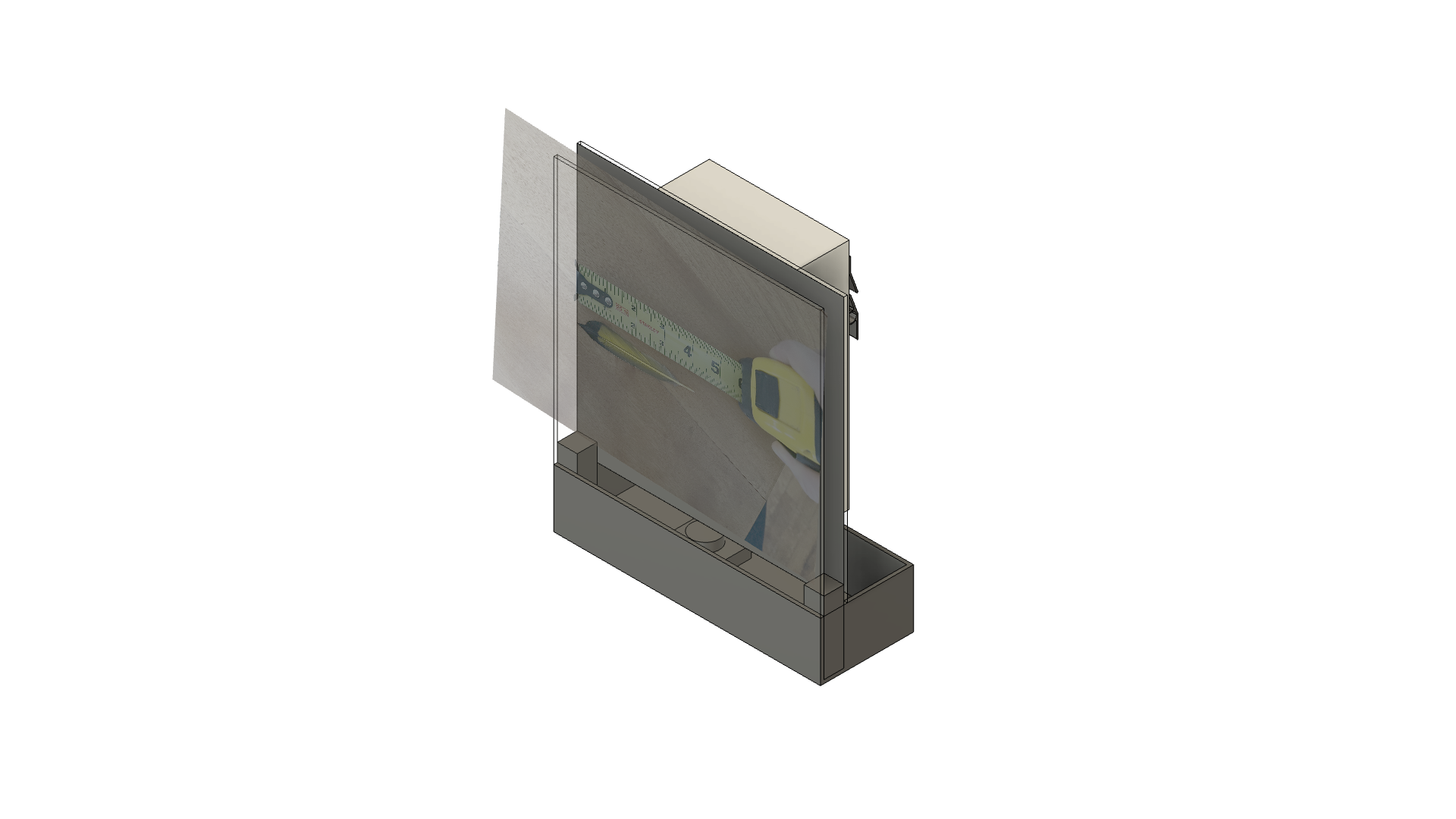
I turned this around after my components arrived and started drawing them all up in a hybrid design on fusion 360. I was actually modeling each component one after another in this file, placing them in space and adding their dimensions. I was quick and dirty. As I wrapped it all up, my fusion 360 crashed and all my work (2hr of cad detailing) was lost (claude spent 1h trying to figure out why, nobody knows).
Final Assembly
I took a walk and got a weed pen to calm down after my file crashed. I would remake the file, but now starting from scratch with a fresh approach. I created every one of my purchased components as an individual part file, and then used assembly to place everything I was creating from off the shelf. I used my calipers and carefully measured all the dimensions of my components.
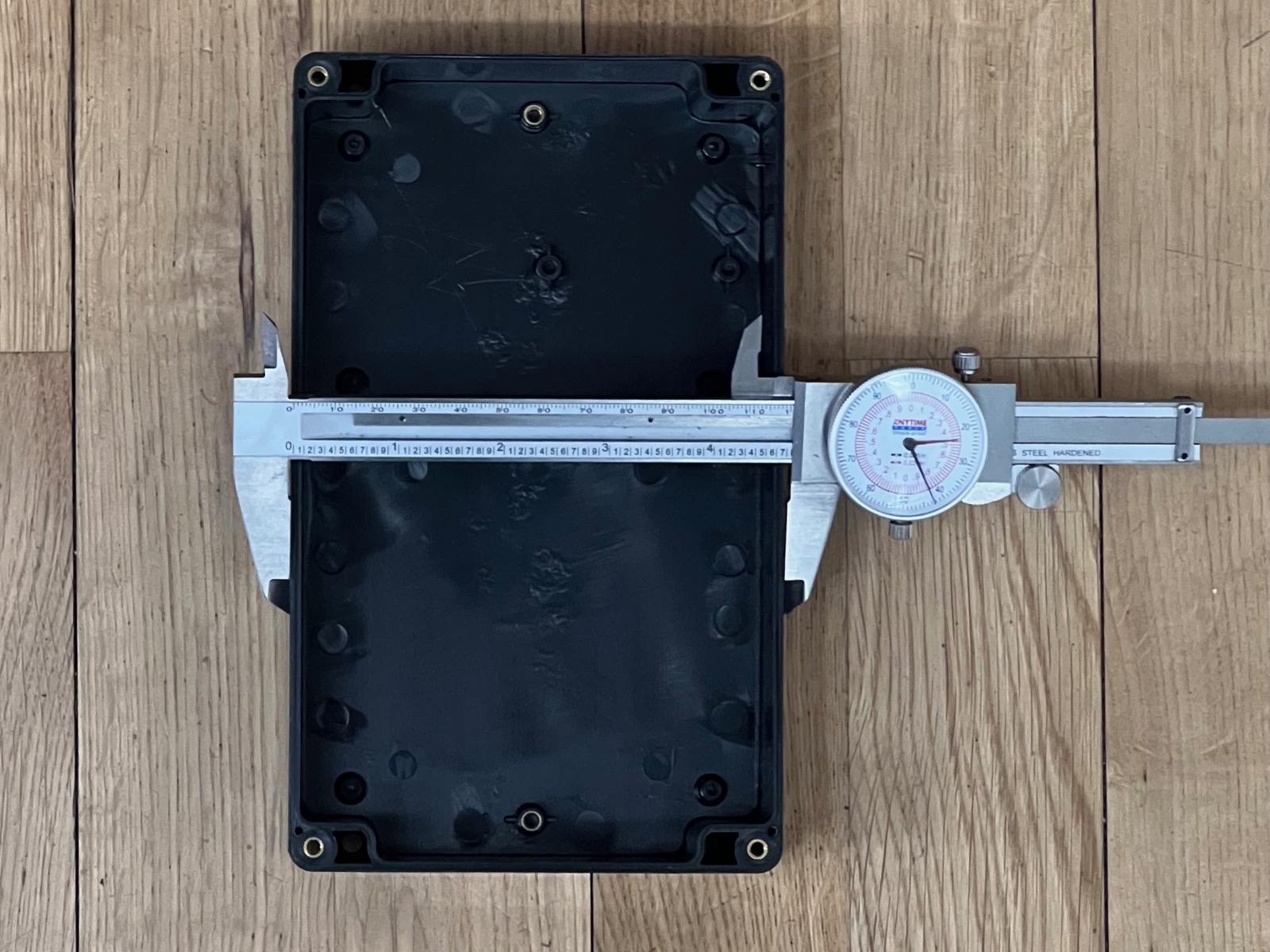
This was huge because I found a +3mm variance from stated dimensions for my waterproof enclosure. Devlin looked at it with me and he started laughing. There were surface defects only the sloppiest injection molding would create. At the same time, the box had its center prelocated as the site of material injection. I designed the whole thing around the central axis, so this was a win.
Throughout this process, I was scrambling to produce the five 3D printed components. A mount for the motor, a motor to acrylic rod grab attachment, the base tray for the water, and the two corners. I had previously been trying to print this huge base tray, now doing damage control. The base tray redesigned to be smaller would take only 2 hours to print vs the 7 required for my larger version.
Fabrication
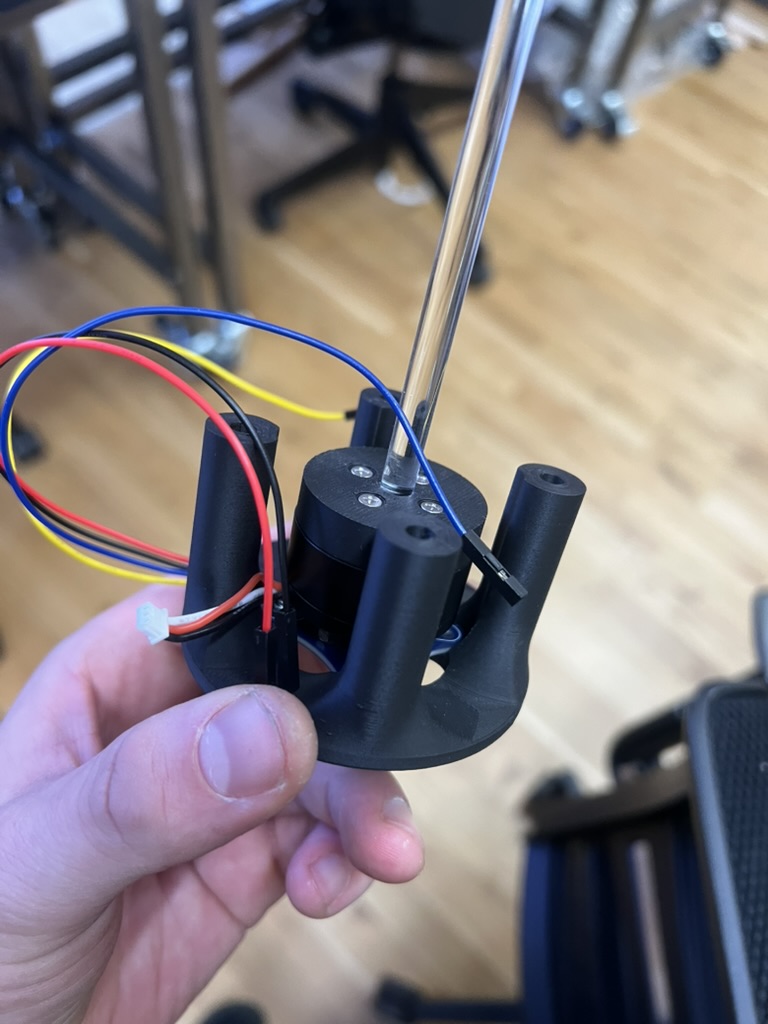
The first part I finished printing was the motor to acrylic rod grab.
Then, quick after I got this motor mounting.
The mister dropped right into place, but didn't quite fit against my larger nozzle size.
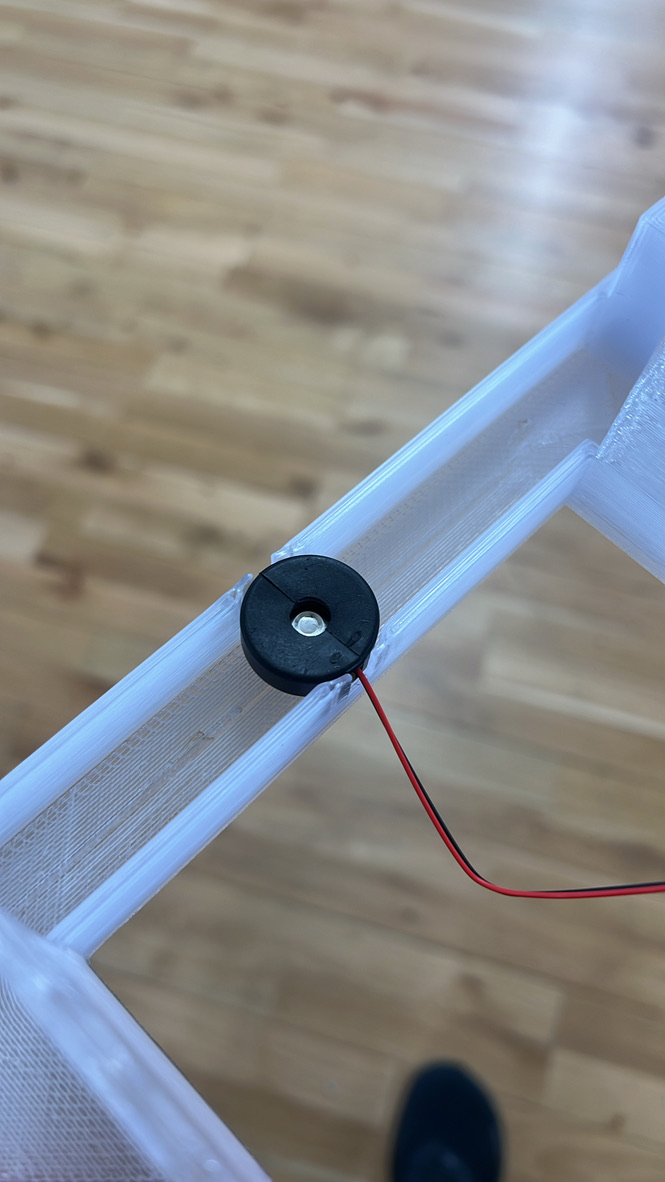
It works fine for the first pass though. I had the laser locate my mounting holes for the plexy glass.
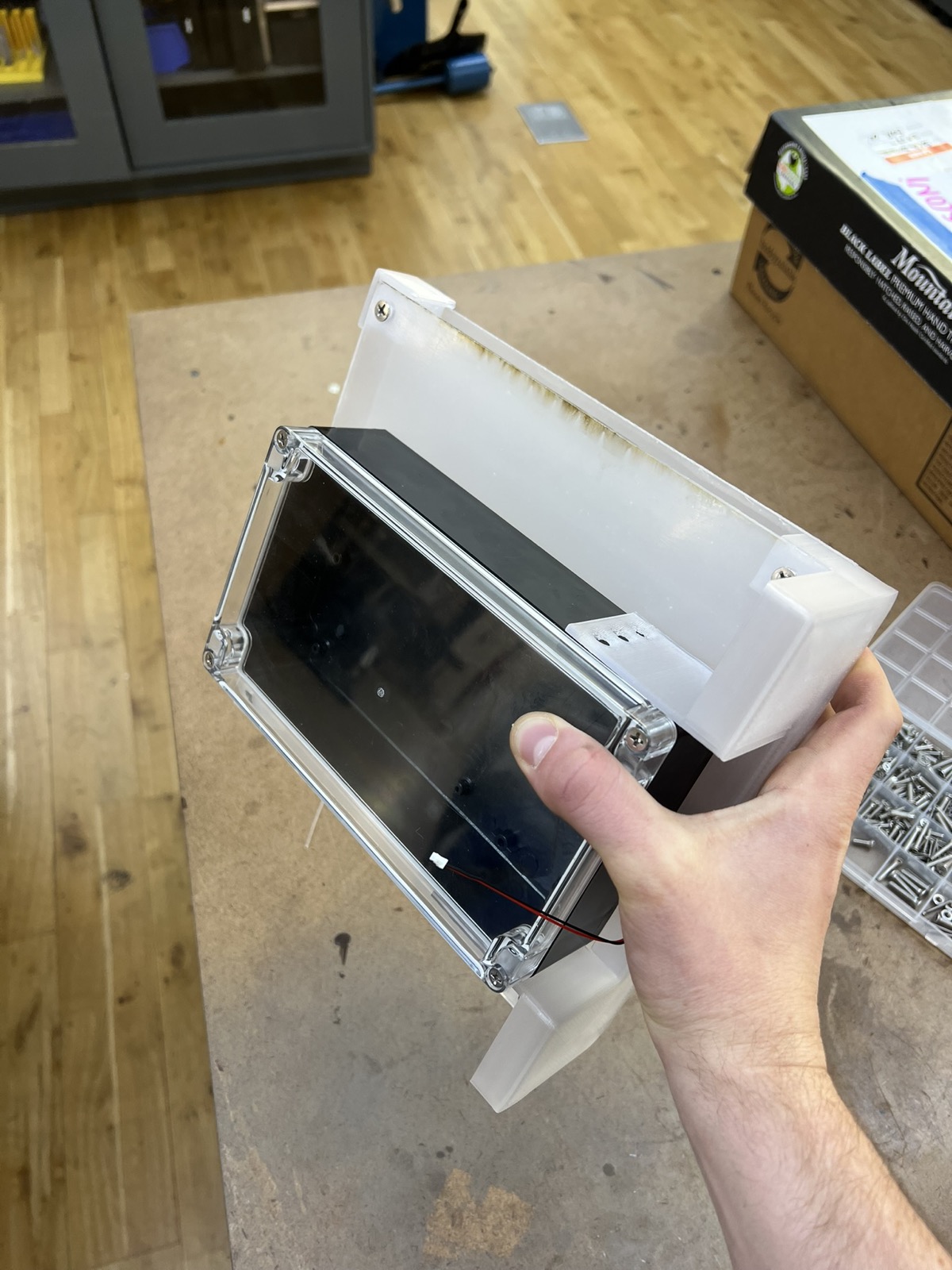
I mounted my bearing in the center of my enclosure by drilling out a nearsized hole and then sanding it open until I could press fit in my threshold bearing. I used a mallet to seat it.
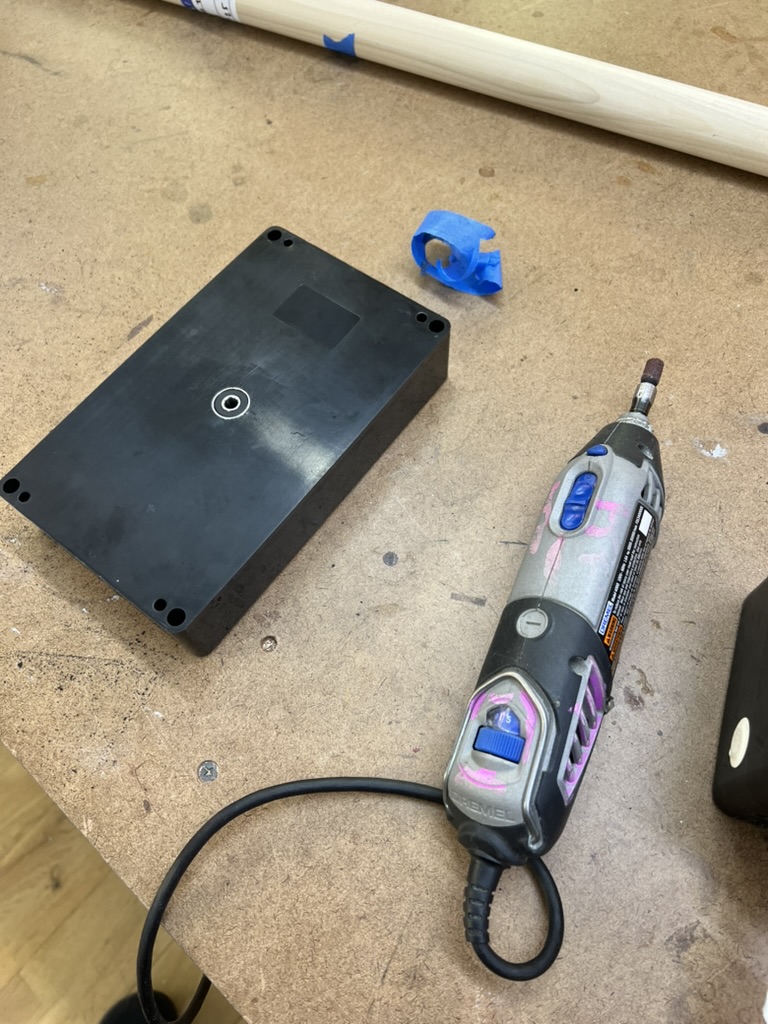
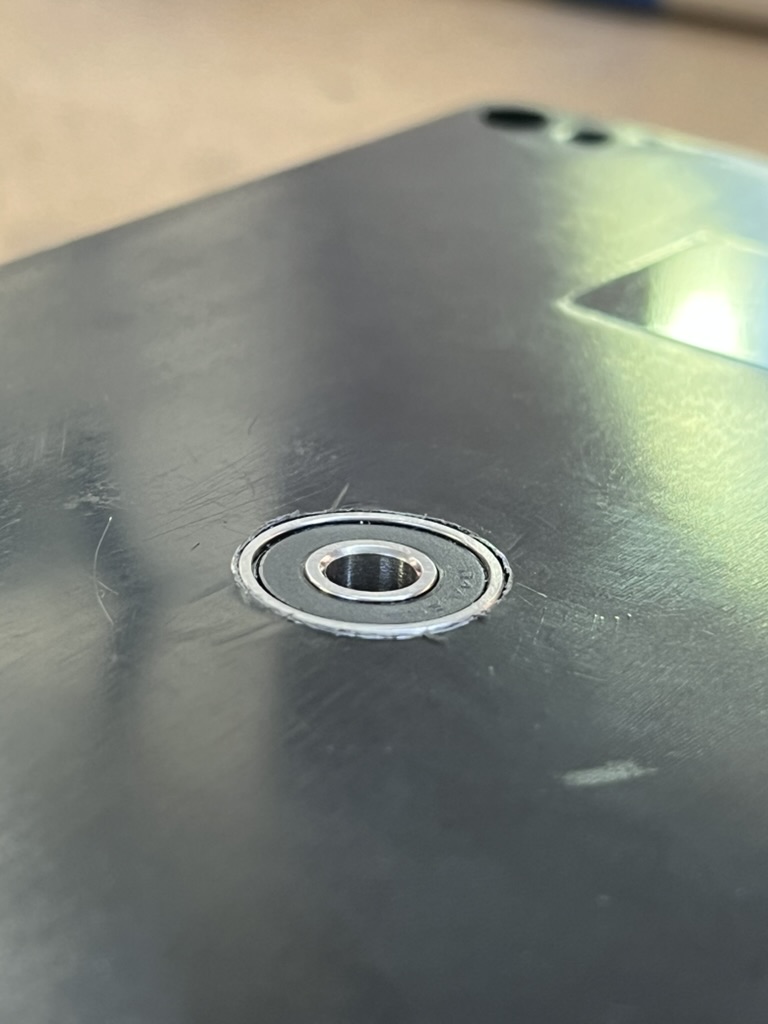
I had holes in my motor mount for locating its own mounting, I drilled all these out using the bldc assembly as a reference. and I located my heat set inserts inside. I had to chamfer the outside of my enclosure because it was mating surface to surface with the plexy
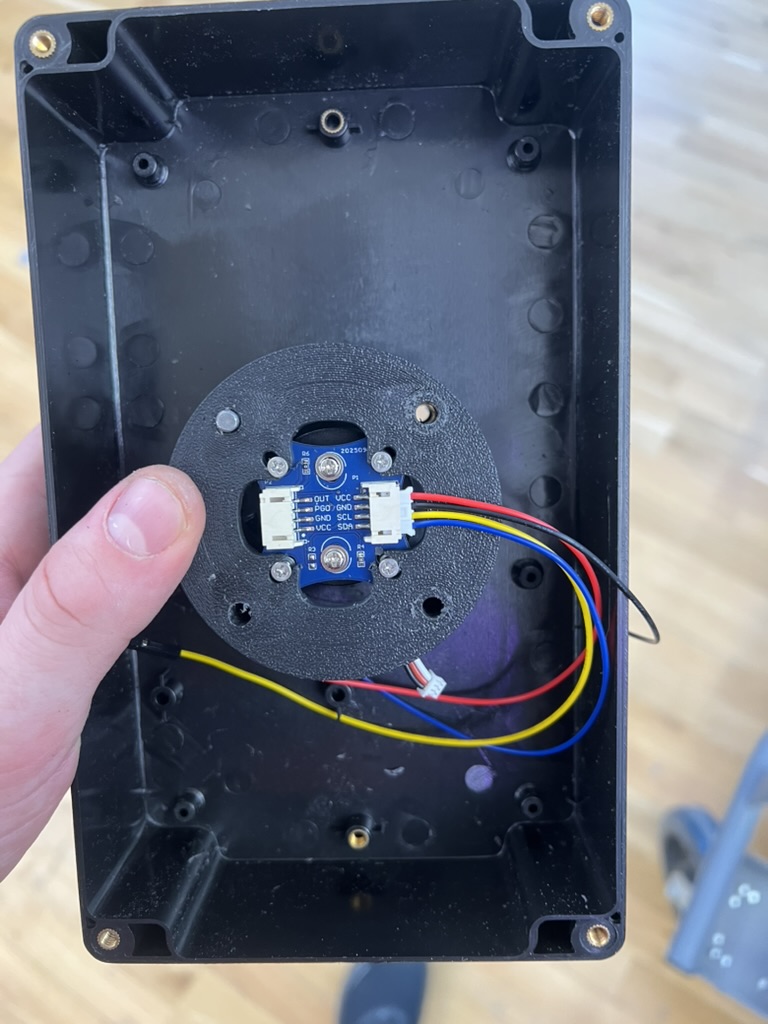
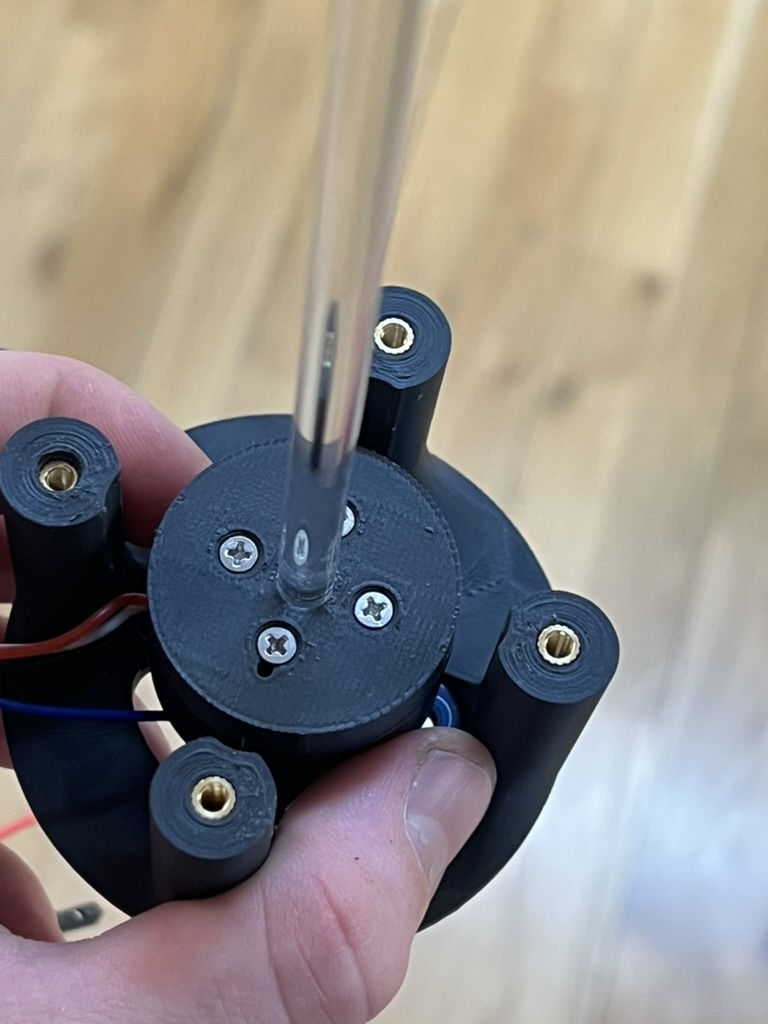
I cut the acrylic rod to size. Remounted it.
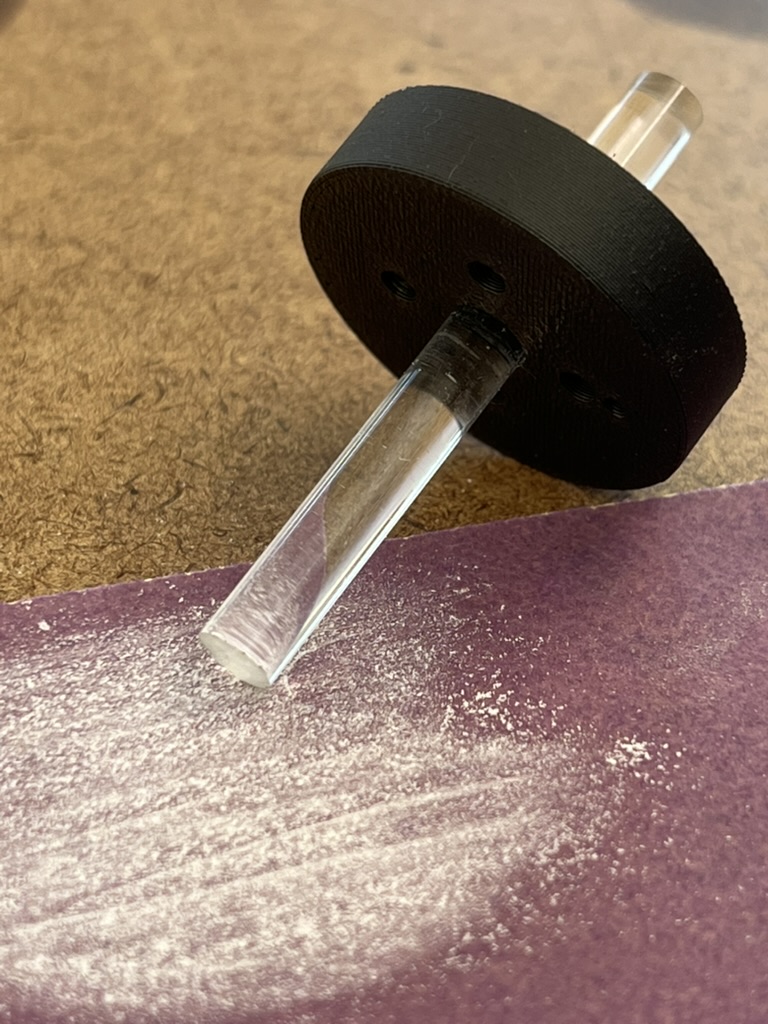
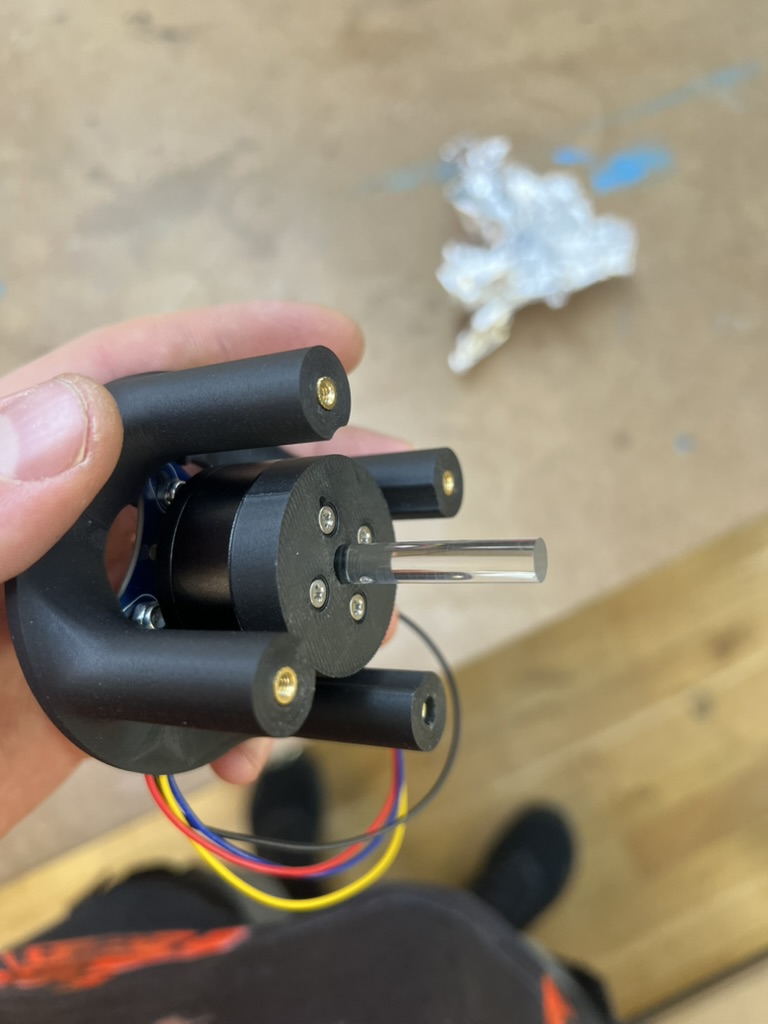
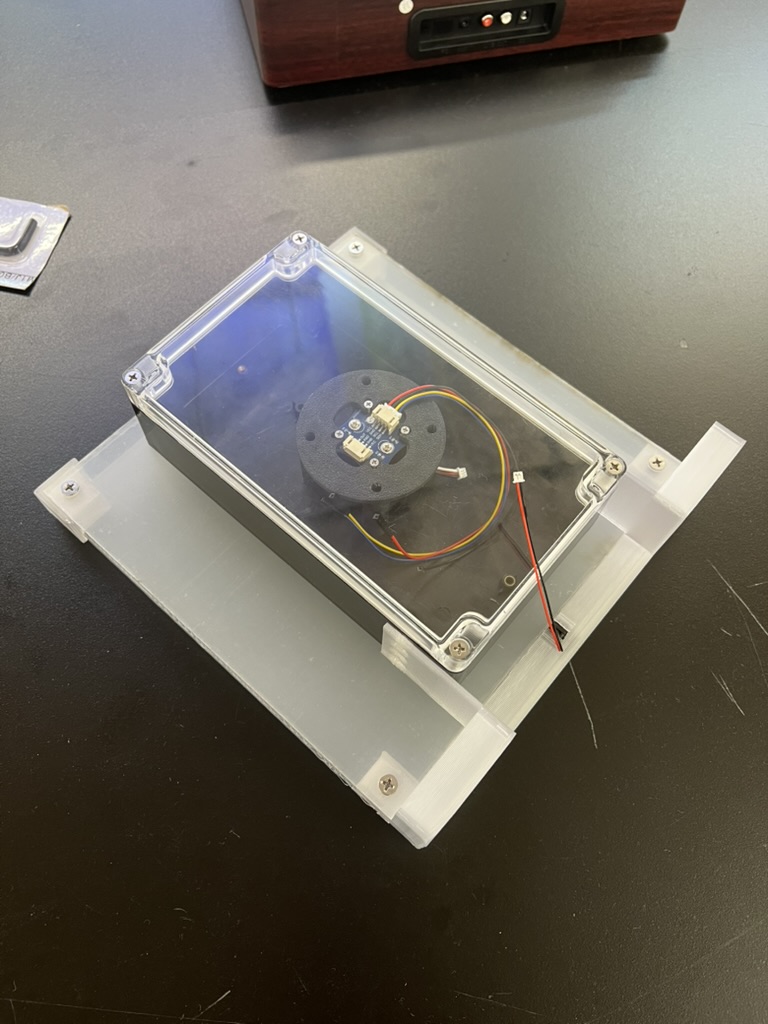
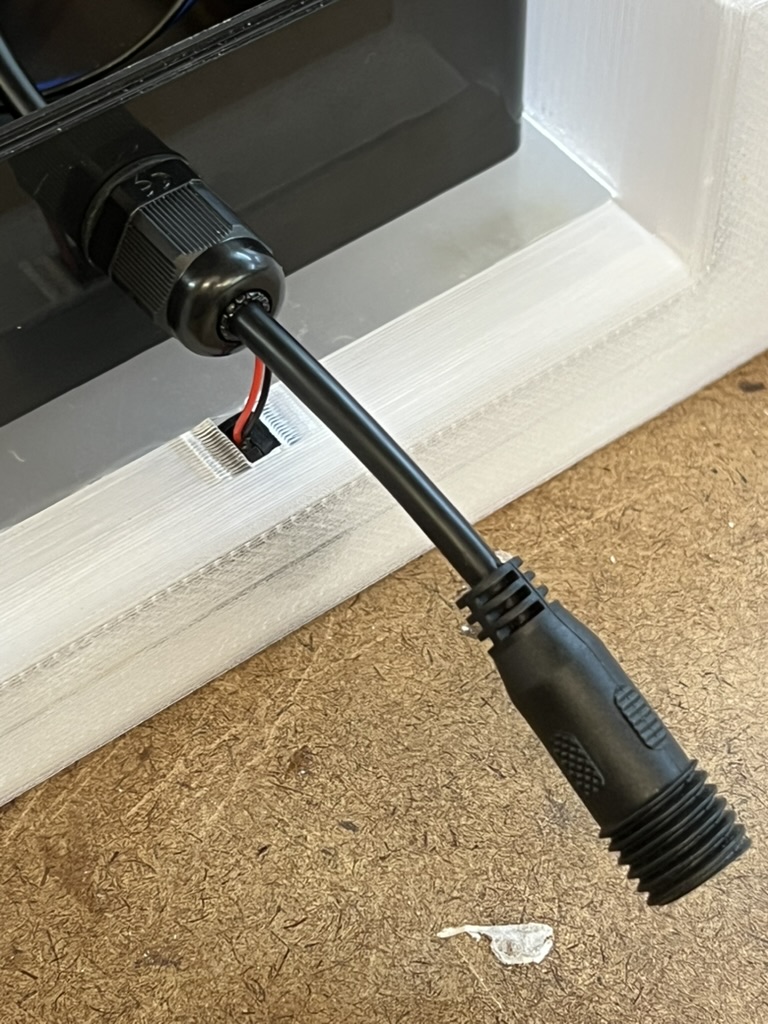
I had thought about running this thing straight to 120v power, but I had these waterproof nice thick 12v power stuff, so I included it.
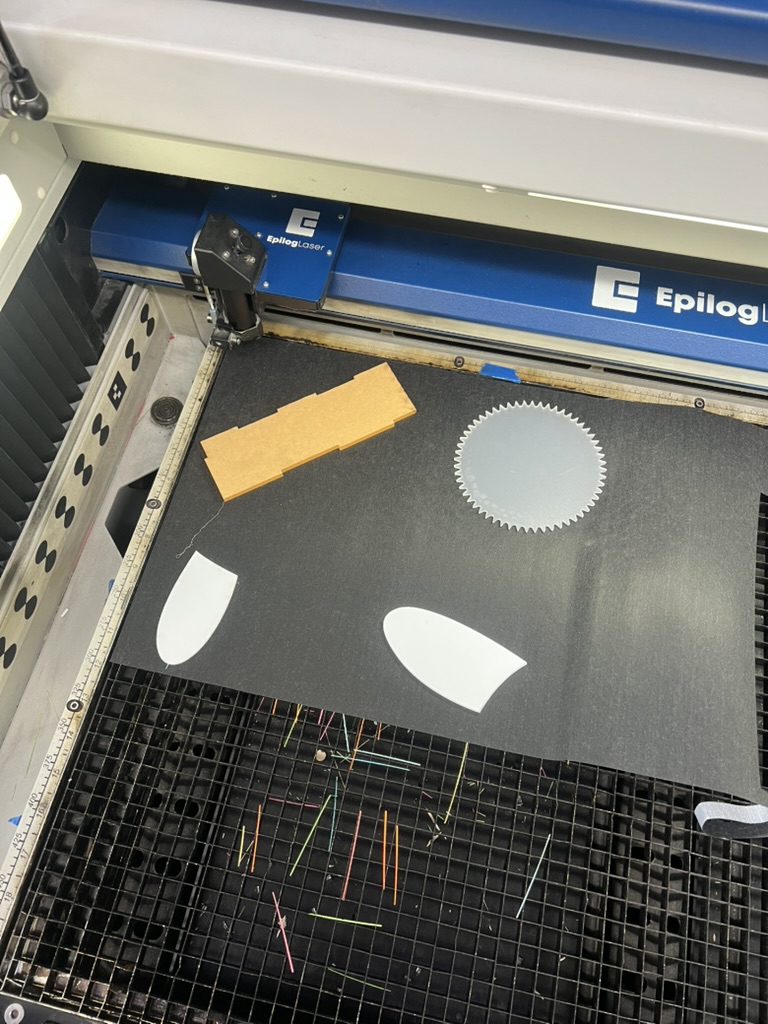
Now I cut the calligraphy paper to size. I used scrap plexy on the bed to keep it held down. as it cut so the edges would not curl up. I cut multiple times and moved the pieces out of the way when necessary.
Full Assembly, for the first time, felt awesome.
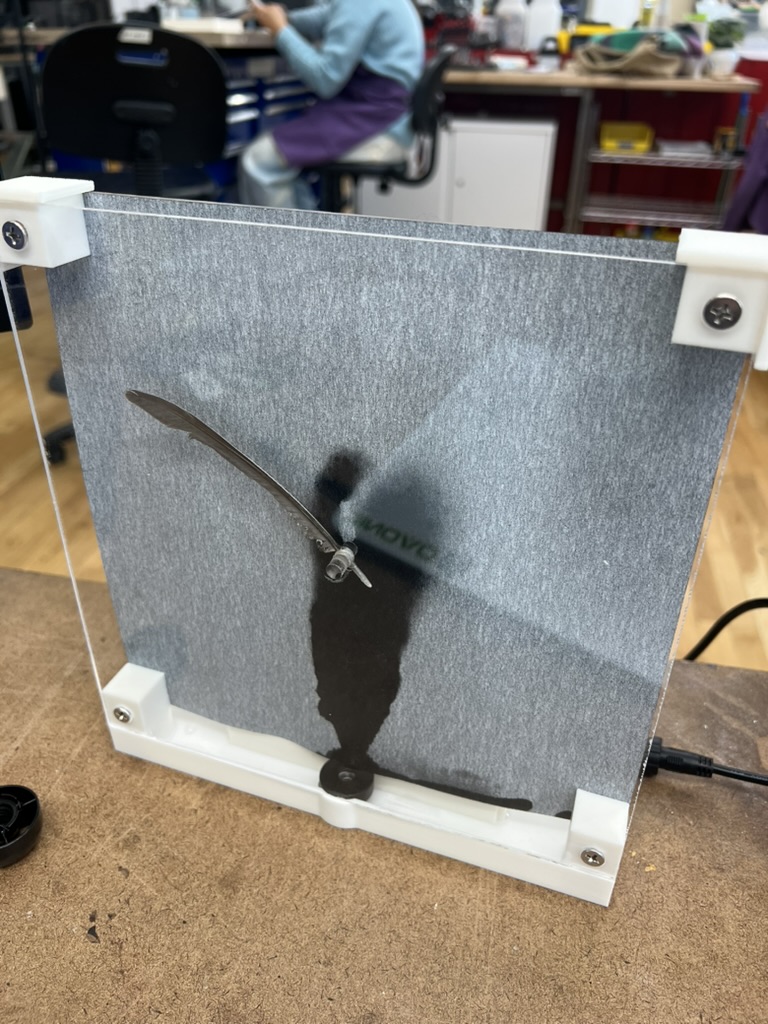
Kezia did the text on the front for me.
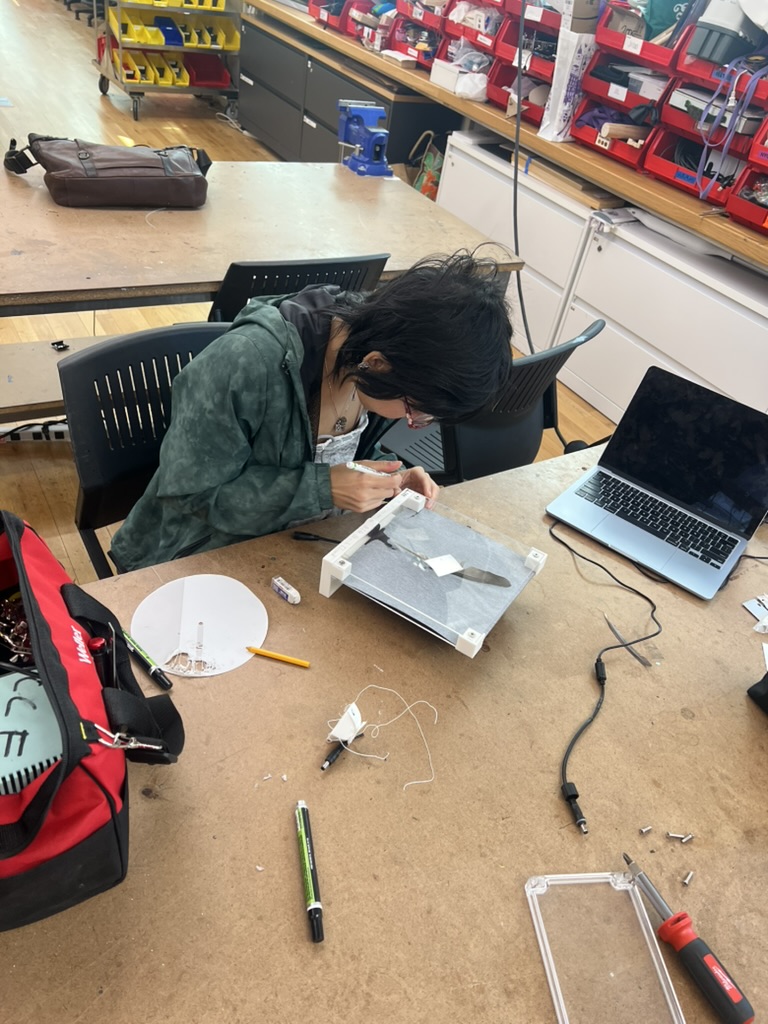
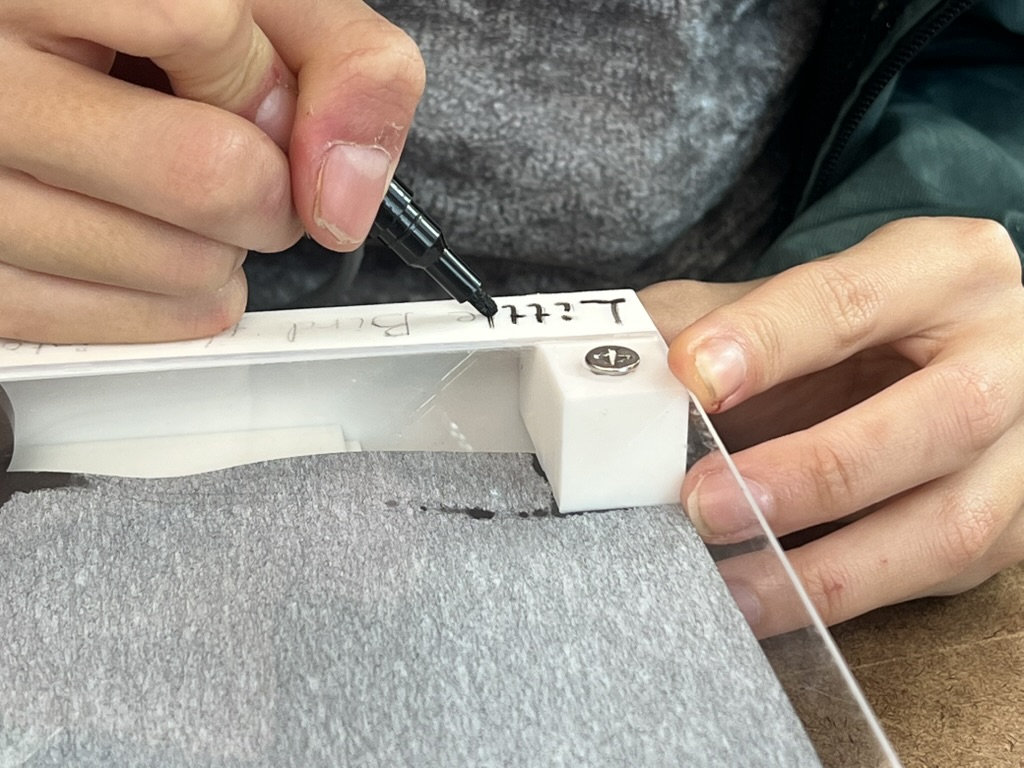
the title is a reference to this Song Snipped album by The Microphones called. There are a lot of different covers.

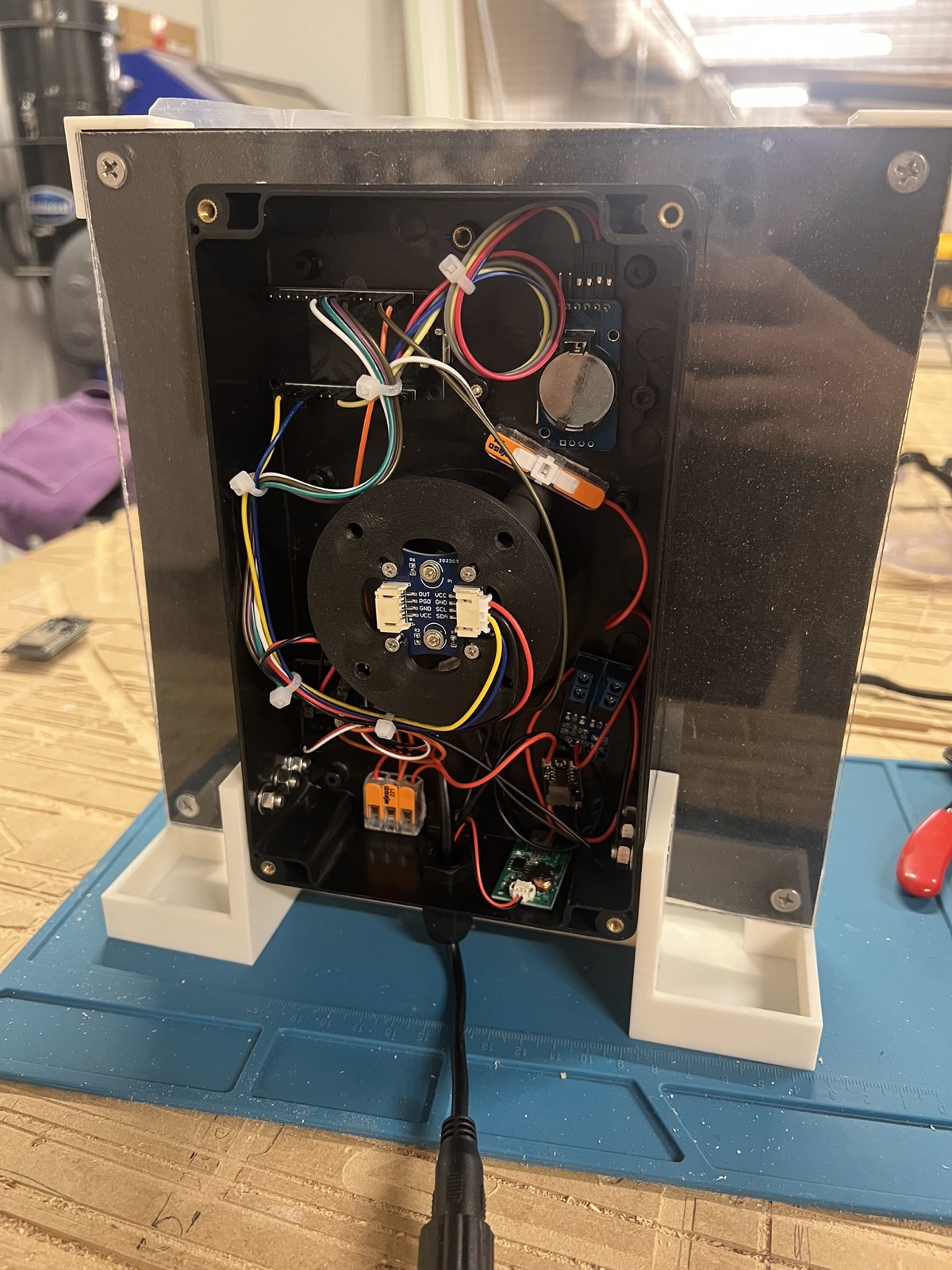
P Comp
Whats there really to say about this, I plugged everything in like it has been on my desk for the motor. I also added a RTC clock to the build because Joy had an extra. To program it, I sent a link from amazon of the same looking board and said program it to claude. It integrated the whole thing as a function call which updates the internal clock. The ESP32 also connects to wifi, so it used NTP to set the initial time.
I also added a transistor to switch control to the mister, just so I could have it as an option. Maybe Ill toggle it on or off in the future. Maybe 15 mins on at the end of the hour, idk.
Code
I had claude enable some things which made the process of dialing in my motor variables and reuploading code over the air. This is the nicest thing I have ever done on a project. Theres nothing worse than having to plug a physical cable into motor and diagnose serial.
Claude did everything, I directed it to examples.
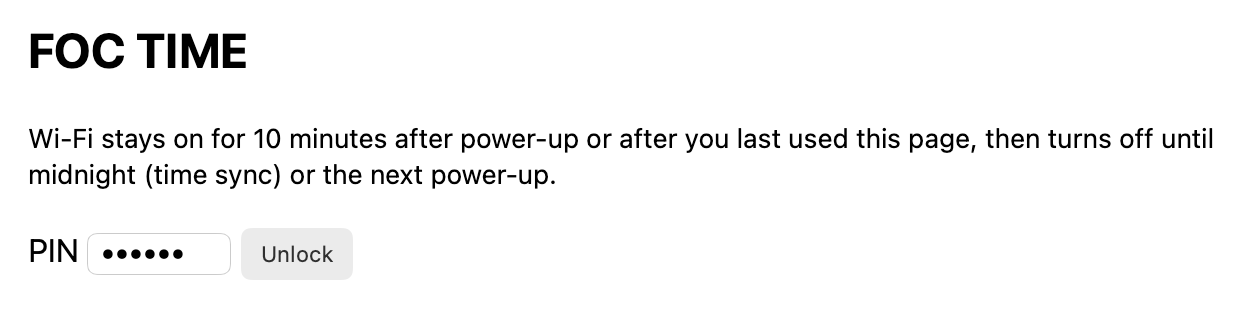
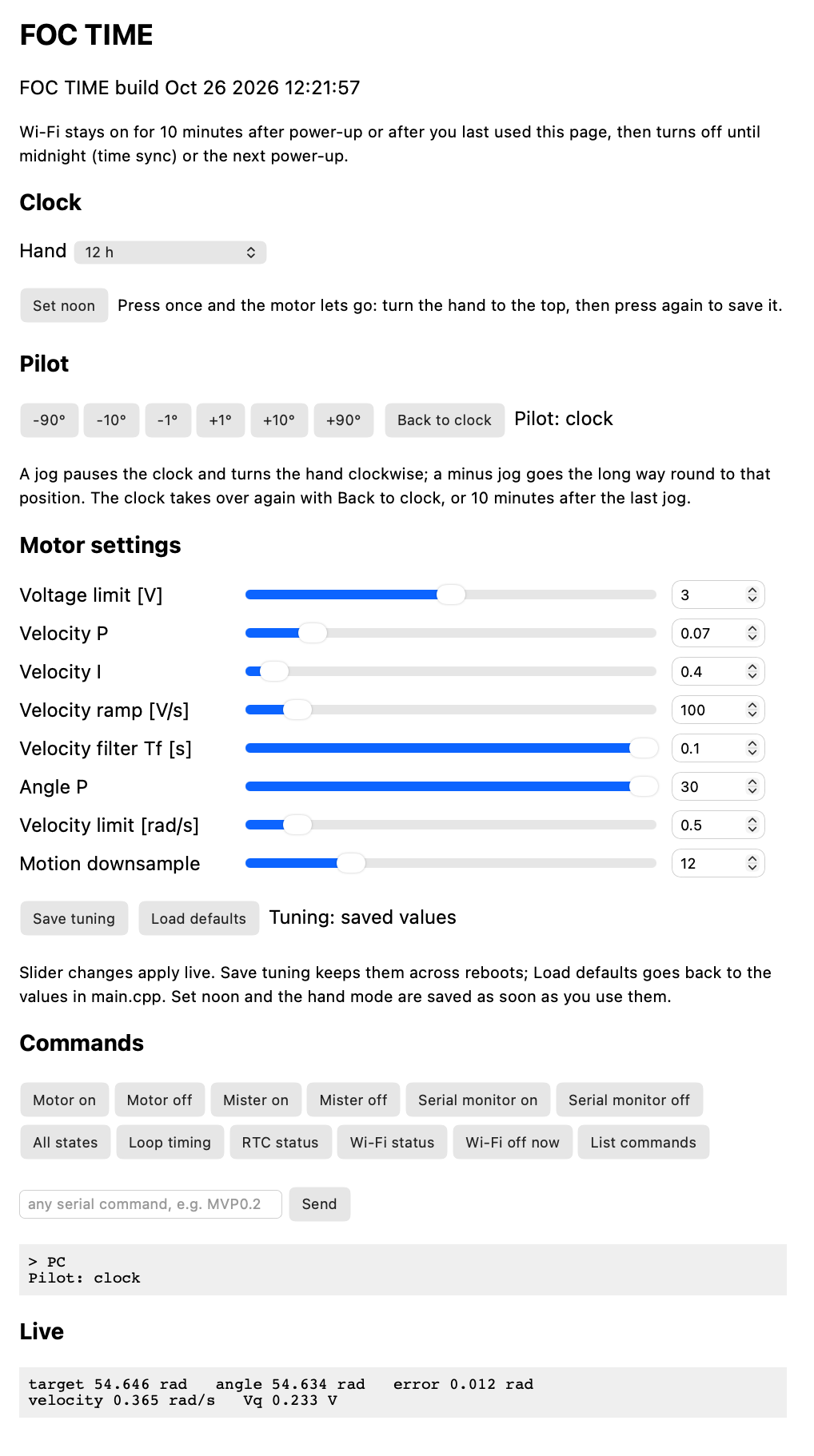
/**
 * STEP 2: angle control -- from hardware_specific_examples/ESP32/magnetic_sensor/esp32_position_control.ino
 * Changed: 2804 gimbal motor (7 pole pairs, 12N14P), AS5600 over I2C, driver pins 25/26/27/33, supply from FOC 2815,
 * controller = angle.
 * Clock: Wi-Fi + NTP time from the Arduino-ESP32 core example Time/SimpleTime.ino drives the 24h hand.
 * RTC: DS3231 module (RTClib examples/ds3231/ds3231.ino, via rtc_test.cpp) starts the clock at boot and keeps
 * it without Wi-Fi; every NTP sync writes the time back into it.
 * OTA: firmware updates over Wi-Fi from the Arduino-ESP32 core example ArduinoOTA/BasicOTA.ino
 * (pio run -e ota -t upload), plus pull updates with the core's HTTPUpdate: GET /update makes the clock
 * download the new firmware itself (see WIFI_FLASH.md).
 */
#include <Arduino.h>
#include <SimpleFOC.h>
#include <WiFi.h>
#include <ESPmDNS.h>
#include <ArduinoOTA.h>
#include <WebServer.h>
#include <HTTPUpdate.h>
#include <StreamString.h>
#include <Preferences.h>
#include <time.h>
#include <sys/time.h>
#include "esp_sntp.h"
#include "RTClib.h"
#include "secrets.h"

// ---- motor tuning (applied in setup) ----
const int   POLE_PAIRS       = 7;      // 2804, PP check OK
const float SUPPLY_VOLTAGE   = 12;     // power supply voltage [V]
const float ALIGN_VOLTAGE    = 1;      // aligning voltage [V] -- from FOC 2815
const float VOLTAGE_LIMIT    = 1;      // [V] was 4
const float VEL_P            = 0.1f;   // velocity PI controller, was 0.01 (I did all the work -> wobble)
const float VEL_I            = 2;      // was 20: limit-cycled on the 2804
const float VEL_RAMP         = 50;     // jerk control [V/s], default 300, was 100
const float VEL_LPF_TF       = 0.02f;  // velocity low pass filtering time constant [s], was 0.01
const float ANGLE_P          = 5;      // angle P controller, was 10
const float VELOCITY_LIMIT   = 0.5;    // maximal velocity of the position control [rad/s], was 1
const int   MOTION_DOWNSAMPLE = 10;    // move() every 10th loop, was 0: per-loop AS5600 velocity was mostly noise (1 count = 6 rad/s)

// Motor instance
BLDCMotor motor = BLDCMotor(POLE_PAIRS);
// BLDCDriver3PWM(IN1, IN2, IN3, enable)
BLDCDriver3PWM driver = BLDCDriver3PWM(25, 26, 27, 33);

// I2C Magnetic sensor instance (AS5600 example)
// make sure to use the pull-ups!!
// SDA 21
// SCL 22
MagneticSensorI2C sensor = MagneticSensorI2C(AS5600_I2C);

// mister: transistor switch on GPIO 15 (HIGH = on), blows steam across the feather and canvas
const int MISTER_PIN = 15;

// RTC: DS3231 + AT24C32 module on its own I2C bus (Wire1), off the AS5600's; kept in UTC
const int RTC_SDA = 16;
const int RTC_SCL = 17;
RTC_DS3231 rtc;
bool rtc_ok = false;                  // RTC answered at boot
volatile uint32_t ntp_events = 0;     // NTP syncs, counted by the SNTP callback (a count can't lose a second sync)
uint32_t ntp_seen = 0;                // ntp_events already handled in loop()
bool rtc_write_pending = false;       // NTP time waiting to go into the RTC at a second boundary
unsigned long rtc_write_since = 0;    // millis() when it started waiting
unsigned rtc_failures = 0;            // RTC probes failed in a row (R)

// one cheap probe of the RTC (Wire1 times out after 5 ms), so a missing RTC can't stall the motor loop
bool rtcAnswers() {
  Wire1.beginTransmission(0x68);
  bool ok = Wire1.endTransmission() == 0;
  rtc_failures = ok ? 0 : rtc_failures + 1;
  return ok;
}

// angle set point variable -- double: 24h-mode steps (~1.5e-6 rad per 20 ms) get lost in float rounding.
// Clockwise only: it never moves against HAND_DIR (updateClockTarget)
double target_angle = 0;

// live tuning over serial -- from SimpleFOC examples/utils/communication_test/commander
// e.g. MVP0.3 vel P, MVI1 vel I, MVR100 ramp, MVF0.01 vel LPF, MAP10 angle P, MCD10 motion downsample,
//      MLV1 vel limit, MLU4 voltage limit, ME0/ME1 disable/enable, MMD0 stop monitor output, M get all
//      S1/S0 mister on/off, N set noon (twice, see doNoon), H24/H12/H60 hand mode, MMG7 all states, ? list commands,
//      TS save tuning, TD back to the consts, P10 jog the hand 10° (clock paused), PC back to the clock
// (the clock owns the target, so "M<number>" is overwritten; tuning resets to the consts on reboot unless saved)
// The same commands work from the web page at http://<clock IP>/ (sliders and buttons, see handleCmd)
Commander command = Commander(Serial);
void doMotor(char* cmd) { command.motor(&motor, cmd); }
void doMister(char* cmd) {
  bool on = atoi(cmd) != 0;
  digitalWrite(MISTER_PIN, on ? HIGH : LOW);
  command.com_port->println(on ? "Mister on" : "Mister off");  // to whoever sent it: USB or the web page
}

// clock (not from SimpleFOC examples)
const char *time_zone = "EST5EDT,M3.2.0,M11.1.0";  // TimeZone rule for New York incl. daylight saving
const float HAND_DIR = 1;     // +1 or -1, whichever turns the hand clockwise (the hand only ever turns that way)
const double HOLD_MAX = 20 * _PI / 180;  // [rad] time up to this far behind the hand: it waits for the time to catch up
                                         // (daylight-saving fall-back = 15° in 24 h mode); further behind: forward the long way.
                                         // Doubled in 12 h mode, where the fall-back is 30°
// set over serial / the web page and kept in flash (Preferences "clock"):
float top_angle = 0;          // shaft angle [rad, 0..2pi) with the hand at the top: noon (24 h), 12 (12 h) or 0 s (60 s), N
int hand_turn = 24;           // one turn of the hand per 24 h, 12 h or 60 s (testing), H24 / H12 / H60
bool noon_armed = false;      // N pressed once: motor off, waiting for the hand to be turned to the top
Preferences prefs;
Preferences tuning;           // motor tuning saved with TS, used instead of the consts at the top at boot

// a saved float, or def if it was never saved (getFloat alone logs an error for a missing key)
float savedFloat(Preferences &p, const char *key, float def) { return p.isKey(key) ? p.getFloat(key, def) : def; }
bool time_synced = false;
double time_angle = 0;        // where the time is, unwrapped like target_angle but free to step back
double last_day_angle = 0;
bool motor_on_last_loop = false;  // turning the motor back on re-syncs from the shaft (loop)
// P: manual pilot, the clock pauses while the hand is jogged; not saved, so a reboot is always the clock
const unsigned long PILOT_TIMEOUT_MS = 10UL * 60 * 1000;  // back to the clock this long after the last jog
bool piloting = false;
unsigned long pilot_last = 0;    // millis() of the last jog
unsigned long last_clock_update = 0;

// OTA updates over Wi-Fi, password OTA_PASS in secrets.h
const char *OTA_HOSTNAME = "foc-time";  // -> foc-time.local, as upload_port in platformio.ini
bool ota_started = false;
bool ota_motor_was_enabled = false;
unsigned long last_ota_check = 0;

// pull updates: GET /update (digest auth, user "ota", password OTA_PASS) makes the clock download
// http://<the requester>:8000/firmware.bin itself -- a streaming download copes with Wi-Fi stalls that
// broke espota's chunk-by-chunk pushes
WebServer server(80);
HTTPUpdate httpUpdater(30000);  // 30 s read timeout (default 8 s)
String update_url;              // set by /update, run from loop() once the HTTP reply has gone out
unsigned long last_bad_pin = 0; // millis() of the last wrong control page PIN
uint32_t last_bad_ip = 0;       // and who sent it

// Wi-Fi only when needed, so it stays off the motor loop the rest of the time: for 10 min after boot or after the
// last use of the control page / updates, and at midnight for the daily NTP sync (which also writes the RTC)
const unsigned long WIFI_WINDOW_MS = 10UL * 60 * 1000;
const unsigned long NIGHT_SYNC_MS = 3UL * 60 * 1000;  // give up on the midnight NTP sync after this
bool wifi_on = false;
bool web_window = true;          // on for the boot window / web use
unsigned long web_last_use = 0;  // millis() of boot or of the last web request
bool night_sync = false;         // on for the midnight NTP sync, off again once it synced
unsigned long night_start = 0;
int synced_day = -1;             // tm_yday of the last daily sync (the boot window counts for its day)
bool wifi_wake = false;          // W<seconds>: Wi-Fi back on after a pause
unsigned long wake_start = 0, wake_after_ms = 0;
unsigned long last_wifi_check = 0;
time_t last_ntp_sync = 0;        // when NTP last set the clock (W)
time_t last_night_sync = 0;      // when the last midnight NTP sync succeeded, kept in flash to check it later (W)
void webUsed() { web_window = true; web_last_use = millis(); }

// RTC check once a minute: between the daily NTP syncs the clock follows the DS3231 (+-2 ppm), not the ESP32 crystal
unsigned long last_rtc_check = 0, last_rtc_poll = 0;
uint32_t rtc_check_from = 0;     // RTC seconds when the running check began, 0 = no check running
long last_rtc_drift_ms = 0;      // system clock minus RTC at the last check (R)

// loop period with Wi-Fi on / off, since that state last began (L)
struct LoopStats { uint32_t count = 0; uint64_t total_us = 0; uint32_t max_us = 0; };
LoopStats loop_on, loop_off;
uint32_t last_loop_us = 0;
bool skip_loop_sample = true;    // the pass that switched Wi-Fi isn't a normal loop

// wrap an angle difference to [-pi, pi) -- double, like the rest of the clock path: in float the
// 24h hand drifted ~1-5 min/day (float32 sim of one day of 20 ms updates)
double wrapDelta(double a) {
  a = fmod(a + _PI, _2PI);
  if (a < 0) a += _2PI;
  return a - _PI;
}

// time of day -> target angle, unwrapped so the hand keeps going forward through midnight, and clockwise only
void updateClockTarget() {
  if (piloting) return;  // the jogs own the target; leaving the pilot re-syncs
  struct timeval tv;
  gettimeofday(&tv, nullptr);  // sub-second part so the target moves continuously, not in 1 s steps
  time_t now = tv.tv_sec;
  if (now < 1700000000) return;  // not synced yet (time() still near 1970)
  struct tm t;
  localtime_r(&now, &t);
  double sec = t.tm_sec + tv.tv_usec / 1e6;
  double day_sec = t.tm_hour * 3600 + t.tm_min * 60 + sec;
  double from_top = hand_turn == 60 ? sec / 60.0              // the top is 0 s
                  : hand_turn == 12 ? day_sec / 43200.0       // 12 o'clock
                                    : day_sec / 86400.0 - 0.5;  // noon
  double day_angle = top_angle + HAND_DIR * from_top * _2PI;
  if (!time_synced) {
    // (re-)sync from the shaft: the time on the turn nearest it (AS5600 is absolute within one turn)
    target_angle = motor.shaft_angle;
    time_angle = target_angle + wrapDelta(day_angle - target_angle);
    time_synced = true;
    Serial.println(&t, "Time synced: %Y-%m-%d %H:%M:%S");
  } else {
    time_angle += wrapDelta(day_angle - last_day_angle);
  }
  last_day_angle = day_angle;
  // clockwise only: time behind the hand (re-sync, clock correction, daylight-saving fall-back) holds the hand until
  // the time catches up -- or, further behind, a turn on, so the hand goes forward the long way
  double hold = hand_turn == 12 ? 2 * HOLD_MAX : HOLD_MAX;  // 80 min on both hour dials
  if (HAND_DIR * (target_angle - time_angle) > hold) time_angle += HAND_DIR * _2PI;
  if (HAND_DIR * (time_angle - target_angle) > 0) target_angle = time_angle;
}

// N: set noon. The first N switches the motor off so the hand can be turned to the top of the dial by hand;
// the second saves that position as the top and switches the motor back on (Motor on in between cancels)
void doNoon(char* cmd) {
  if (!noon_armed || motor.enabled) {
    motor.disable();
    noon_armed = true;
    command.com_port->println("Motor off: turn the hand to the top, then press Set noon (N) again");
    return;
  }
  top_angle = fmod(motor.shaft_angle, _2PI);
  if (top_angle < 0) top_angle += _2PI;
  bool saved = prefs.putFloat("top", top_angle) == sizeof(float);
  noon_armed = false;
  motor.enable();  // loop() re-syncs from the shaft before the motor takes over: the hand goes from the top to the time
  command.com_port->printf(saved ? "Top saved (%.3f rad), motor on\n" : "Top set (%.3f rad) but saving it failed, motor on\n",
                           top_angle);
}

// H24 / H12 / H60: one turn of the hand per 24 h, 12 h or 60 s, saved; H alone reports the mode
void doHandMode(char* cmd) {
  int turn = atoi(cmd);
  if (turn == 24 || turn == 12 || turn == 60) {
    hand_turn = turn;
    if (!prefs.putUChar("turn", hand_turn)) command.com_port->print("Saving the mode failed. ");
    time_synced = false;  // re-sync: the hand goes forward to the new position (or waits, see updateClockTarget)
  }
  command.com_port->println(hand_turn == 60 ? "Hand: 60 s" : hand_turn == 12 ? "Hand: 12 h" : "Hand: 24 h");
}

// P<degrees>: pause the clock and jog the hand that far, clockwise only -- a minus jog goes forward the long way
// round to the same dial position. PC: back to the clock (re-sync from where the hand is). P alone: which one
void doPilot(char* cmd) {
  if (cmd[0] == 'C') {
    piloting = false;
    time_synced = false;
  } else if (isDigit(cmd[0]) || cmd[0] == '-' || cmd[0] == '+') {  // not "P" + eol alone
    double deg = fmod(atof(cmd), 360.0);
    if (deg < 0) deg += 360;
    piloting = true;
    pilot_last = millis();
    target_angle += HAND_DIR * deg * _PI / 180;  // from the target, so quick presses add up while the hand moves
  }
  command.com_port->println(piloting ? "Pilot: manual" : "Pilot: clock");
}

// TS: save the live motor tuning (what the sliders show) to flash, used instead of the consts at the top on
// every boot. TD: forget it and go back to the consts right away. T alone: which one is in use
void doTuning(char* cmd) {
  if (cmd[0] == 'S') {
    bool ok = tuning.putFloat("volt_lim", motor.voltage_limit) && tuning.putFloat("vel_p", motor.PID_velocity.P) &&
              tuning.putFloat("vel_i", motor.PID_velocity.I) && tuning.putFloat("vel_ramp", motor.PID_velocity.output_ramp) &&
              tuning.putFloat("vel_tf", motor.LPF_velocity.Tf) && tuning.putFloat("angle_p", motor.P_angle.P) &&
              tuning.putFloat("vel_lim", motor.velocity_limit) && tuning.putUInt("downsample", motor.motion_downsample);
    if (!ok) command.com_port->print("Saving the tuning failed. ");
  } else if (cmd[0] == 'D') {
    if (!tuning.clear()) command.com_port->print("Clearing the saved tuning failed. ");
    motor.updateVoltageLimit(VOLTAGE_LIMIT);  // the same calls Commander makes for MLU / MLV
    motor.PID_velocity.P = VEL_P;
    motor.PID_velocity.I = VEL_I;
    motor.PID_velocity.output_ramp = VEL_RAMP;
    motor.LPF_velocity.Tf = VEL_LPF_TF;
    motor.P_angle.P = ANGLE_P;
    motor.updateVelocityLimit(VELOCITY_LIMIT);
    motor.motion_downsample = MOTION_DOWNSAMPLE;
  }
  command.com_port->println(tuning.isKey("vel_p") ? "Tuning: saved values" : "Tuning: defaults from main.cpp");
}

// check the RTC and, if its time is valid, start the system clock from it so the hand is right before
// (or without) Wi-Fi. Waits for the next RTC tick (up to 1 s) so the second starts on time.
bool checkRTC() {
  if (!rtc.begin(&Wire1)) {
    Serial.printf("RTC not found -- check SDA %d / SCL %d / 3.3 V / GND\n", RTC_SDA, RTC_SCL);
    return false;
  }
  if (rtc.lostPower()) {
    Serial.println("RTC lost power: time invalid until NTP sets it");
    return true;
  }
  uint32_t start = rtc.now().unixtime(), t;
  unsigned long waited = millis();
  do {
    delay(2);
    t = rtc.now().unixtime();
  } while (t == start && millis() - waited < 1100);
  if (t == start) {
    Serial.println("RTC answers but isn't ticking");
    return true;
  }
  if (time(nullptr) < 1700000000) {  // unless NTP got there first
    struct timeval tv = { (time_t)t, 0 };
    settimeofday(&tv, nullptr);
  }
  Serial.printf("RTC time %lu UTC, %.2f C\n", (unsigned long)t, rtc.getTemperature());
  return true;
}

// SNTP callback (runs in the network task): only count it, loop() does the rest
void onNtpSync(struct timeval *tv) { ntp_events = ntp_events + 1; }

// control page: sliders for the tuning values and buttons for the serial commands, all sent through /cmd
const char CONTROL_PAGE[] PROGMEM = R"HTML(<!doctype html>
<html><head><meta charset="utf-8"><meta name="viewport" content="width=device-width,initial-scale=1">
<title>FOC TIME</title>
<style>
body{font-family:system-ui,sans-serif;max-width:40em;margin:1em auto;padding:0 1em}
.row{display:grid;grid-template-columns:11em 1fr 6em;gap:.6em;align-items:center;margin:.5em 0}
.row input[type=number]{width:5.5em}
button{margin:.2em .2em .2em 0;padding:.5em .8em}
pre{background:#f2f2f2;padding:.6em;white-space:pre-wrap;min-height:1.5em}
</style></head><body>
<h2>FOC TIME</h2>
<p id="build"></p>
<p><small>Wi-Fi stays on for 10 minutes after power-up or after you last used this page, then turns off until
midnight (time sync) or the next power-up.</small></p>
<div id="lock"><p>PIN <input id="pin" type="password" inputmode="numeric" size="8">
<button id="unlock">Unlock</button> <span id="msg"></span></p></div>
<div id="panel" hidden>
<h3>Clock</h3>
<p>Hand <select id="mode"><option value="H24">24 h (noon at the top)</option><option value="H12">12 h</option>
<option value="H60">60 s (test)</option></select></p>
<p><button id="noon">Set noon</button> <small>Press once and the motor lets go: turn the hand to the top,
then press again to save it.</small></p>
<h3>Pilot</h3>
<p><span id="jogs"></span> <button id="clock">Back to clock</button> <span id="pilot"></span></p>
<p><small>A jog pauses the clock and turns the hand clockwise; a minus jog goes the long way round to that
position. The clock takes over again with Back to clock, or 10 minutes after the last jog.</small></p>
<h3>Motor settings</h3>
<div id="sliders"></div>
<p><button id="save">Save tuning</button> <button id="defaults">Load defaults</button> <span id="tuning"></span></p>
<p><small>Slider changes apply live. Save tuning keeps them across reboots; Load defaults goes back to the
values in main.cpp. Set noon and the hand mode are saved as soon as you use them.</small></p>
<h3>Commands</h3>
<div id="buttons"></div>
<p><input id="free" size="26" placeholder="any serial command, e.g. MVP0.2"> <button id="sendfree">Send</button></p>
<pre id="out"></pre>
<h3>Live</h3>
<pre id="live"></pre>
</div>
<script>
const SLIDERS = [
  ["MLU", "Voltage limit [V]", 0, 6, 0.1],
  ["MVP", "Velocity P", 0, 0.5, 0.005],
  ["MVI", "Velocity I", 0, 10, 0.1],
  ["MVR", "Velocity ramp [V/s]", 0, 1000, 10],
  ["MVF", "Velocity filter Tf [s]", 0, 0.1, 0.001],
  ["MAP", "Angle P", 0, 30, 0.5],
  ["MLV", "Velocity limit [rad/s]", 0, 5, 0.05],
  ["MCD", "Motion downsample", 0, 50, 1]
];
const BUTTONS = [
  ["Motor on", "ME1"], ["Motor off", "ME0"],
  ["Mister on", "S1"], ["Mister off", "S0"],
  ["Serial monitor on", "MMD100"], ["Serial monitor off", "MMD0"],
  ["All states", "MMG7"], ["Loop timing", "L"], ["RTC status", "R"],
  ["Wi-Fi status", "W"], ["Wi-Fi off now", "W0"], ["List commands", "?"]
];
const JOGS = [-90, -10, -1, 1, 10, 90];  // degrees, P command
const $ = id => document.getElementById(id);
let pin = localStorage.getItem("pin") || "";  // remembered after the first unlock
async function cmd(c) {
  let r;
  try { r = await fetch("/cmd?k=" + encodeURIComponent(pin) + "&c=" + encodeURIComponent(c)); }
  catch (e) { throw new Error("Clock not reachable: its Wi-Fi may be off, power-cycle it to turn Wi-Fi back on"); }
  if (r.status === 401) throw new Error("Wrong PIN");
  if (r.status === 429) throw new Error("Wait a second after a wrong PIN, then try again");
  if (!r.ok) throw new Error("HTTP " + r.status);
  return (await r.text()).trim();
}
async function send(c) {
  let reply;
  try { reply = await cmd(c); } catch (e) { reply = e.message; }
  $("out").textContent = "> " + c + "\n" + reply;
  return reply;
}
function lastNumber(t) {
  const m = t.match(/-?\d*\.?\d+/g);
  return m ? parseFloat(m[m.length - 1]) : NaN;
}
async function live() {
  let t;
  try { t = await cmd("MMG7"); } catch (e) { $("live").textContent = e.message; return; }  // all: target;Vq;Vd;Cq;Cd;vel;angle
  const v = t.replace(/^.*?:/, "").split(";").map(parseFloat);
  if (v.length < 7) { $("live").textContent = t; return; }
  $("live").textContent = "target " + v[0].toFixed(3) + " rad   angle " + v[6].toFixed(3) +
    " rad   error " + (v[0] - v[6]).toFixed(3) + " rad\nvelocity " + v[5].toFixed(3) +
    " rad/s   Vq " + v[1].toFixed(3) + " V";
}
const rows = [];  // the sliders: read their values back from the clock
async function refresh() {
  for (const r of rows) r.range.value = r.box.value = lastNumber(await cmd(r.c));
}
async function init() {
  const showMode = reply => { const m = reply.match(/Hand: (\d+)/); if (m) $("mode").value = "H" + m[1]; };
  showMode(await cmd("H"));
  $("mode").onchange = async () => showMode(await send($("mode").value));
  $("noon").onclick = () => send("N");
  for (const d of JOGS) {
    const b = document.createElement("button");
    b.textContent = (d > 0 ? "+" : "") + d + "°";
    b.onclick = async () => { $("pilot").textContent = await send("P" + d); };
    $("jogs").append(b);
  }
  $("clock").onclick = async () => { $("pilot").textContent = await send("PC"); };
  $("pilot").textContent = await cmd("P");
  $("tuning").textContent = await cmd("T");
  $("save").onclick = async () => { $("tuning").textContent = await send("TS"); };
  $("defaults").onclick = async () => { $("tuning").textContent = await send("TD"); await refresh(); };
  for (const [c, label, min, max, step] of SLIDERS) {
    const row = document.createElement("div");
    row.className = "row";
    row.innerHTML = "<label>" + label + "</label><input type=range min=" + min + " max=" + max + " step=" + step +
                    "><input type=number min=" + min + " max=" + max + " step=" + step + ">";
    $("sliders").append(row);
    const [range, box] = row.querySelectorAll("input");
    const set = async v => { range.value = box.value = lastNumber(await send(c + v)); };
    range.oninput = () => { box.value = range.value; };
    range.onchange = () => set(range.value);
    box.onchange = () => set(box.value);
    rows.push({ c, range, box });
  }
  await refresh();
  for (const [label, c] of BUTTONS) {
    const b = document.createElement("button");
    b.textContent = label;
    b.onclick = () => send(c);
    $("buttons").append(b);
  }
  $("sendfree").onclick = () => send($("free").value);
  $("free").onkeydown = e => { if (e.key === "Enter") send($("free").value); };
  setInterval(live, 1000);
}
let started = false;
async function unlock() {
  pin = $("pin").value.trim();
  try { await cmd("MLU"); } catch (e) { $("msg").textContent = e.message; return; }  // a read, to test the PIN
  localStorage.setItem("pin", pin);
  $("lock").hidden = true;
  $("panel").hidden = false;
  if (!started) { started = true; init(); }
}
$("unlock").onclick = unlock;
$("pin").onkeydown = e => { if (e.key === "Enter") unlock(); };
fetch("/version").then(r => r.text()).then(t => { $("build").textContent = t; });
if (pin) { $("pin").value = pin; unlock(); }
</script></body></html>
)HTML";

// /update needs the OTA password (digest auth, user "ota")
bool authorized() {
  if (server.authenticate("ota", OTA_PASS)) return true;
  server.requestAuthentication(DIGEST_AUTH);
  return false;
}

// /cmd needs WEB_PIN (secrets.h) as ?k= -- the browser's own digest login kept failing. After a wrong PIN,
// /cmd refuses everything for 1 s: guessing slows to one try a second without blocking the motor loop
bool pinOK() {
  uint32_t ip = server.client().remoteIP();  // the lockout only holds back whoever got it wrong
  if (last_bad_pin && ip == last_bad_ip && millis() - last_bad_pin < 1000) {
    server.send(429, "text/plain", "wait\n");
    return false;
  }
  if (server.arg("k") == WEB_PIN) return true;
  last_bad_pin = millis();
  last_bad_ip = ip;
  server.send(401, "text/plain", "wrong PIN\n");
  return false;
}

// GET /: the control page (nothing secret in it; the PIN is checked on /cmd). Loading it doesn't keep Wi-Fi on:
// only PIN-checked use does
void handleRoot() {
  server.send_P(200, "text/html", CONTROL_PAGE);
}

// GET /version: which firmware is running (no password, to check an update landed)
void handleVersion() {
  server.send(200, "text/plain", "FOC TIME build " __DATE__ " " __TIME__ "\n");
}

// GET /cmd?c=MVP0.1: run any serial (Commander) command, exactly as typed over USB, and return its reply
void handleCmd() {
  if (!pinOK()) return;
  // end it like a typed line: Commander only reads "MVP" as a query when the eol follows,
  // without it "MVP" sets P = 0
  String c = server.arg("c") + "\n";
  if (!c.startsWith("MMG")) webUsed();  // someone using the page keeps Wi-Fi on; the live readout's poll doesn't
  StreamString reply;
  command.com_port = &reply;  // capture the reply instead of printing it to USB
  command.run((char*)c.c_str());
  command.com_port = &Serial;
  server.send(200, "text/plain", reply);
}

// GET /update[?url=...]: queue a pull update from the requester's port 8000 (or from url)
void handleUpdate() {
  if (!authorized()) return;
  webUsed();
  update_url = server.hasArg("url") ? server.arg("url")
             : "http://" + server.client().remoteIP().toString() + ":8000/firmware.bin";
  server.send(202, "text/plain", "updating from " + update_url + "\n");
}

// download and flash update_url; blocks loop() for the download and reboots on success
void runPullUpdate() {
  Serial.printf("Update from %s\n", update_url.c_str());
  bool was_enabled = motor.enabled;
  motor.disable();  // loop() stops during the download: don't leave the windings energized
  motor_on_last_loop = false;  // so loop() sees the motor come back on after a failed update and re-syncs
  httpUpdater.onProgress([](int done, int total) {
    static int last_pct = -1;
    int pct = total > 0 ? (int)(100LL * done / total) : 0;
    if (pct != last_pct) {
      last_pct = pct;
      Serial.printf("Update %d%%\r", pct);
    }
  });
  WiFiClient client;
  httpUpdater.update(client, update_url);  // only returns if it failed
  Serial.printf("\nUpdate failed: %s\n", httpUpdater.getLastErrorString().c_str());
  if (was_enabled) motor.enable();  // the old firmware keeps running
  update_url = "";
}

// OTA -- from BasicOTA.ino, but started from loop() once Wi-Fi is up: the example blocks setup()
// until Wi-Fi connects, which would hold up the motor and the clock
void startOTA() {
  ArduinoOTA.setHostname(OTA_HOSTNAME);
  ArduinoOTA.setPassword(OTA_PASS);
  ArduinoOTA.setTimeout(10000);  // per-chunk wait, default 1 s: this Wi-Fi stalls for seconds and killed uploads
  ArduinoOTA
    .onStart([]() {
      // loop() stops during the transfer: don't leave the windings energized
      ota_motor_was_enabled = motor.enabled;
      motor.disable();
      motor_on_last_loop = false;  // so loop() re-syncs if onError gives the motor back
      Serial.println("OTA start");
    })
    .onEnd([]() {
      Serial.println("\nOTA end, rebooting");
    })
    .onProgress([](unsigned int progress, unsigned int total) {
      Serial.printf("OTA %u%%\r", (progress / (total / 100)));
    })
    .onError([](ota_error_t error) {
      Serial.printf("OTA error[%u]: ", error);
      if (error == OTA_AUTH_ERROR) Serial.println("Auth Failed");
      else if (error == OTA_BEGIN_ERROR) Serial.println("Begin Failed");
      else if (error == OTA_CONNECT_ERROR) Serial.println("Connect Failed");
      else if (error == OTA_RECEIVE_ERROR) Serial.println("Receive Failed");
      else if (error == OTA_END_ERROR) Serial.println("End Failed");
      // the old firmware keeps running: give the hand back to the motor
      if (ota_motor_was_enabled) {
        motor.enable();
        ota_motor_was_enabled = false;
      }
    });
  ArduinoOTA.begin();
  Serial.printf("OTA ready: %s.local (%s, RSSI %d dBm)\n", OTA_HOSTNAME, WiFi.localIP().toString().c_str(), WiFi.RSSI());

  server.begin();  // routes are set up once in setup()
  Serial.printf("Update server: http://%s/update\n", WiFi.localIP().toString().c_str());
}

// Wi-Fi on: connect and (re)start SNTP; OTA and the web server start in loop() once connected
void wifiOn() {
  WiFi.mode(WIFI_STA);
  WiFi.begin(WIFI_SSID, WIFI_PASS);
  WiFi.setSleep(false);  // no modem power save: with it, pings took 0.1-4.5 s and OTA uploads stalled
  configTzTime(time_zone, "pool.ntp.org", "time.nist.gov");  // restarts SNTP: it syncs soon after connecting
  wifi_on = true;
  loop_on = LoopStats();
  skip_loop_sample = true;
  Serial.println("Wi-Fi on");
}

// Wi-Fi off: OTA, the web server and SNTP stop, and the radio goes off
void wifiOff() {
  if (ota_started) {
    ArduinoOTA.end();
    server.stop();
    ota_started = false;
  }
  esp_sntp_stop();
  WiFi.disconnect(true);
  WiFi.mode(WIFI_OFF);
  wifi_on = false;
  loop_off = LoopStats();
  skip_loop_sample = true;
  Serial.println("Wi-Fi off");
}

// once a second: midnight starts the daily NTP sync; Wi-Fi is on while any reason for it holds
void wifiWindow() {
  time_t now = time(nullptr);
  if (now > 1700000000) {
    struct tm t;
    localtime_r(&now, &t);
    if (synced_day < 0) {
      synced_day = t.tm_yday;  // the boot window syncs the first day
    } else if (t.tm_yday != synced_day) {  // midnight
      synced_day = t.tm_yday;
      night_sync = true;
      night_start = millis();
      if (wifi_on) configTzTime(time_zone, "pool.ntp.org", "time.nist.gov");  // already on: sync again now
      Serial.println("Midnight: NTP sync");
    }
  }
  if (web_window && millis() - web_last_use >= WIFI_WINDOW_MS) web_window = false;
  if (night_sync && millis() - night_start >= NIGHT_SYNC_MS) night_sync = false;  // no NTP tonight
  if (wifi_wake && !wifi_on && millis() - wake_start >= wake_after_ms) {  // only once it really was off (W1)
    wifi_wake = false;
    webUsed();
  }
  bool want = web_window || night_sync;
  if (want && !wifi_on) wifiOn();
  else if (!want && wifi_on) wifiOff();
}

// once a minute: poll the RTC every 5 ms until its seconds tick over, then put the system clock on that tick
// (a few 0.3 ms reads on Wire1, off the AS5600's bus). Skipped while an NTP time waits to be written into it
void rtcCheck() {
  if (!rtc_ok || rtc_write_pending) return;
  if (!rtc_check_from) {
    if (millis() - last_rtc_check < 60000) return;
    last_rtc_check = last_rtc_poll = millis();
    if (rtcAnswers()) rtc_check_from = rtc.now().unixtime();  // else: try again next minute (R shows it)
    return;
  }
  if (millis() - last_rtc_poll < 5) return;
  unsigned long gap = millis() - last_rtc_poll;  // since the previous look at the RTC
  last_rtc_poll = millis();
  struct timeval tv;
  gettimeofday(&tv, nullptr);  // system time just before the read that sees the tick
  uint32_t t = rtc.now().unixtime();
  if (millis() - last_rtc_check > 2500) {  // no clean tick in time (RTC stopped, or the loop too busy): next minute
    rtc_check_from = 0;
    return;
  }
  if (t == rtc_check_from) return;
  if (gap > 12) {  // it ticked during a long pause, so when exactly is unknown: wait for the next tick
    rtc_check_from = t;
    return;
  }
  rtc_check_from = 0;
  int64_t drift_ms = ((int64_t)tv.tv_sec - (int64_t)t) * 1000 + tv.tv_usec / 1000;  // 64 bit: no overflow
  if (t < 1700000000 || drift_ms > 3600000 || drift_ms < -3600000) return;  // RTC time not plausible: keep ours
  last_rtc_drift_ms = (long)drift_ms;
  if ((drift_ms > 10 || drift_ms < -10) && ntp_events == ntp_seen) {  // >10 ms off, and NTP didn't just set it
    struct timeval rt = { (time_t)t, 0 };
    settimeofday(&rt, nullptr);
  }
}

// W<seconds>: Wi-Fi off now, back on after that many seconds (W0: until the next boot or midnight).
// W alone: Wi-Fi state and the last NTP sync
void doWifi(char* cmd) {
  if (isDigit(cmd[0])) {
    unsigned long s = strtoul(cmd, nullptr, 10);
    if (s > 86400) s = 86400;  // at most a day, and no overflow in the ms below
    web_window = false;
    night_sync = false;
    wifi_wake = s > 0;
    wake_start = millis();
    wake_after_ms = s * 1000UL;
    if (s) command.com_port->printf("Wi-Fi off in a second, back on in %lu s\n", s);
    else command.com_port->println("Wi-Fi off in a second, back at the next boot or midnight");
    return;
  }
  char synced[24] = "never", night[24] = "never";
  struct tm t;
  if (last_ntp_sync && localtime_r(&last_ntp_sync, &t)) strftime(synced, sizeof(synced), "%Y-%m-%d %H:%M:%S", &t);
  if (last_night_sync && localtime_r(&last_night_sync, &t)) strftime(night, sizeof(night), "%Y-%m-%d %H:%M:%S", &t);
  command.com_port->printf("Wi-Fi %s", wifi_on ? "on" : "off");
  unsigned long used = millis() - web_last_use;
  if (web_window) command.com_port->printf(", off in %lu s unless used", used < WIFI_WINDOW_MS ? (WIFI_WINDOW_MS - used) / 1000 : 0);
  if (night_sync) command.com_port->print(", midnight NTP sync running");
  command.com_port->printf(", last NTP sync %s, last midnight sync %s\n", synced, night);
}

// L: loop period with Wi-Fi on and with Wi-Fi off, since each state last began (max = the longest single pass)
void doLoopStats(char* cmd) {
  for (int i = 0; i < 2; i++) {
    const LoopStats &s = i == 0 ? loop_on : loop_off;
    const char *state = i == 0 ? "on" : "off";
    if (s.count) command.com_port->printf("Wi-Fi %s: avg %lu us, max %lu us over %lu passes\n", state,
                                          (unsigned long)(s.total_us / s.count), (unsigned long)s.max_us, (unsigned long)s.count);
    else command.com_port->printf("Wi-Fi %s: no data yet\n", state);
  }
}

// R: RTC status -- its time now and the last once-a-minute check
void doRtcStatus(char* cmd) {
  if (!rtc_ok) {
    command.com_port->println("RTC not found at boot");
    return;
  }
  if (!rtcAnswers()) {
    command.com_port->printf("RTC not answering (%u failed checks in a row)\n", rtc_failures);
    return;
  }
  command.com_port->printf("RTC %lu UTC, %.2f C; last check %lu s ago, system clock was %+ld ms off\n",
                           (unsigned long)rtc.now().unixtime(), rtc.getTemperature(),
                           (millis() - last_rtc_check) / 1000, last_rtc_drift_ms);
}

void setup() {

  // mister on by default (S0 turns it off); set first thing since GPIO 15 is a strapping pin
  pinMode(MISTER_PIN, OUTPUT);
  digitalWrite(MISTER_PIN, HIGH);

  // use monitoring with serial
  Serial.begin(115200);
  Serial.println(F("FOC TIME build " __DATE__ " " __TIME__));  // also at GET /version, to check an update landed

  // hand calibration and mode, saved by N and H (doNoon, doHandMode)
  if (!prefs.begin("clock", false)) Serial.println("Opening the saved clock settings failed");
  top_angle = savedFloat(prefs, "top", 0);
  // 24 h unless H12 / H60 was saved ("sec": the earlier 60 s on/off switch)
  hand_turn = prefs.isKey("turn") ? prefs.getUChar("turn", 24) : prefs.getBool("sec", false) ? 60 : 24;
  last_night_sync = prefs.getULong("night", 0);
  // enable more verbose output for debugging
  // comment out if not needed
  SimpleFOCDebug::enable(&Serial);

  // local time zone, also before (or without) Wi-Fi
  setenv("TZ", time_zone, 1);
  tzset();

  // Wi-Fi + NTP -- from SimpleTime.ino, without its blocking wait: SNTP syncs in the background.
  // Wi-Fi then stays on for the boot window only (wifiWindow)
  sntp_set_time_sync_notification_cb(onNtpSync);  // NTP time -> RTC, see loop()
  webUsed();
  wifiOn();

  // web server routes, served while Wi-Fi is on (startOTA); no 1 ms sleep on every idle check (WebServer default)
  server.on("/", handleRoot);
  server.on("/version", handleVersion);
  server.on("/cmd", handleCmd);
  server.on("/update", handleUpdate);
  server.enableDelay(false);

  // RTC on its own I2C bus -- from rtc_test.cpp: starts the clock until NTP syncs
  Wire1.begin(RTC_SDA, RTC_SCL);
  Wire1.setClock(400000);
  Wire1.setTimeOut(5);  // a failed RTC transaction costs 5 ms instead of 50
  rtc_ok = checkRTC();

  // configure i2C -- from magnetic_sensor_i2c_example.ino / FOC 2815
  Wire.begin(21, 22);
  Wire.setClock(400000);
  // initialise magnetic sensor hardware
  sensor.init();
  // link the motor to the sensor
  motor.linkSensor(&sensor);

  // driver config
  driver.voltage_power_supply = SUPPLY_VOLTAGE;
  driver.init();
  // link the motor and the driver
  motor.linkDriver(&driver);

  motor.voltage_sensor_align = ALIGN_VOLTAGE;

  // set motion control loop to be used
  motor.controller = MotionControlType::angle;

  // contoller configuration -- values at the top of the file, unless a tuning was saved with TS
  if (!tuning.begin("tuning", false)) Serial.println("Opening the saved tuning failed");
  motor.PID_velocity.P = savedFloat(tuning, "vel_p", VEL_P);
  motor.PID_velocity.I = savedFloat(tuning, "vel_i", VEL_I);
  motor.voltage_limit = savedFloat(tuning, "volt_lim", VOLTAGE_LIMIT);
  motor.PID_velocity.output_ramp = savedFloat(tuning, "vel_ramp", VEL_RAMP);
  motor.LPF_velocity.Tf = savedFloat(tuning, "vel_tf", VEL_LPF_TF);
  motor.P_angle.P = savedFloat(tuning, "angle_p", ANGLE_P);
  motor.velocity_limit = savedFloat(tuning, "vel_lim", VELOCITY_LIMIT);
  motor.motion_downsample = tuning.getUInt("downsample", MOTION_DOWNSAMPLE);

  // comment out if not needed
  motor.useMonitoring(Serial);
  motor.monitor_downsample = 0;  // serial monitor output off by default, it costs loop time: MMD100 turns it on

  // initialize motor
  motor.init();
  // align sensor and start FOC
  motor.initFOC();
  // hold where the hand is until the time syncs
  target_angle = motor.shaft_angle;

  // add the motor to the commander interface
  command.add('M', doMotor, "motor");
  command.add('S', doMister, "mister");
  command.add('N', doNoon, "set noon");
  command.add('H', doHandMode, "hand 24/12/60");
  command.add('P', doPilot, "pilot jog/clock");
  command.add('T', doTuning, "tuning save/defaults");
  command.add('W', doWifi, "wifi");
  command.add('L', doLoopStats, "loop timing");
  command.add('R', doRtcStatus, "rtc");

  Serial.println(F("Motor ready."));
  _delay(1000);
}

void loop() {
  // loop period per Wi-Fi state (L)
  uint32_t now_us = micros();
  if (!skip_loop_sample) {
    uint32_t dt = now_us - last_loop_us;
    LoopStats &s = wifi_on ? loop_on : loop_off;
    s.count++;
    s.total_us += dt;
    if (dt > s.max_us) s.max_us = dt;
  }
  skip_loop_sample = false;
  last_loop_us = now_us;

  // main FOC algorithm function
  // the faster you run this function the better
  // Arduino UNO loop  ~1kHz
  // Bluepill loop ~10kHz
  motor.loopFOC();

  // the pilot hands back to the clock 10 min after the last jog, so the hand can't stay paused once Wi-Fi is off
  if (piloting && millis() - pilot_last >= PILOT_TIMEOUT_MS) {
    piloting = false;
    time_synced = false;
    Serial.println("Pilot: back to the clock");
  }

  // update the target: every 20 ms in 60 s mode so it ramps smoothly, once a second is plenty for 12 / 24 h
  if (millis() - last_clock_update >= (hand_turn == 60 ? 20UL : 1000UL)) {
    last_clock_update = millis();
    updateClockTarget();
  }

  // NTP synced: note it right away (that also ends the midnight sync) and drop any RTC check in progress,
  // which the new time made stale
  uint32_t events = ntp_events;
  if (events != ntp_seen) {
    ntp_seen = events;
    last_ntp_sync = time(nullptr);
    if (night_sync) {
      last_night_sync = last_ntp_sync;
      if (!prefs.putULong("night", (uint32_t)last_night_sync)) Serial.println("Saving the midnight sync failed");
    }
    night_sync = false;
    rtc_check_from = 0;
    rtc_write_pending = rtc_ok;
    rtc_write_since = millis();
  }

  // write the NTP time into the RTC right after a second boundary (the RTC counts whole seconds, and writing its
  // seconds register restarts its 1 s countdown) -- one short write on Wire1. If the loop keeps missing the 2 ms
  // window, take 20 ms after 5 s
  if (rtc_write_pending) {
    struct timeval tv;
    gettimeofday(&tv, nullptr);
    if (tv.tv_usec < 2000 || (millis() - rtc_write_since > 5000 && tv.tv_usec < 20000)) {
      rtc_write_pending = false;
      last_rtc_check = millis();  // the next RTC check a minute from now
      if (rtcAnswers()) {
        rtc.adjust(DateTime((uint32_t)tv.tv_sec));
        Serial.println("RTC set from NTP");
      } else {
        Serial.println("RTC not answering: not set from NTP");
      }
    }
  }

  // RTC check once a minute (5 ms polls for up to a second)
  rtcCheck();

  // once a second: Wi-Fi on or off
  if (millis() - last_wifi_check >= 1000) {
    last_wifi_check = millis();
    wifiWindow();
  }

  // while Wi-Fi is on: start OTA once connected, then check for an upload every 20 ms rather than on every FOC loop
  if (wifi_on && millis() - last_ota_check >= 20) {
    last_ota_check = millis();
    if (!ota_started && WiFi.status() == WL_CONNECTED) {
      startOTA();
      ota_started = true;
    }
    if (ota_started) {
      ArduinoOTA.handle();
      server.handleClient();
      if (update_url.length()) runPullUpdate();
    }
  }

  // motor back on (ME1, Set noon, a failed update): re-sync from where the hand is now, before move() drives it, so
  // a hand turned while the motor was off isn't pulled back. Without a valid time it holds there
  if (motor.enabled && !motor_on_last_loop) {
    sensor.update();  // fresh angle: a blocking update (OTA, pull update) kept loopFOC/move from reading it
    motor.shaft_angle = motor.shaftAngle();
    time_synced = false;
    target_angle = motor.shaft_angle;
    updateClockTarget();
  }
  motor_on_last_loop = motor.enabled;

  // Motion control function
  // velocity, position or voltage (defined in motor.controller)
  // this function can be run at much lower frequency than loopFOC() function
  // You can also use motor.move() and set the motor.target in the code
  motor.move(target_angle);

  // function intended to be used with serial plotter to monitor motor variables
  // significantly slowing the execution down!!!!
  motor.monitor();

  // user communication
  command.run();
}