Understanding Networks — Professor Tom Igoe
RESTful Web Microservices
getting back into it, we start off in home and then can
cdup to ubuntu and then
cdagain and were in the root folder, this has everything.
etc, for example, has a ton of configuration stuff related to the computer running my server, so if I go into /etc/nginx/sites-available/ this has my two, the default nginx page reached through unencrypted port 80 or the encrypted 443 which reaches the html page I set up.
We are going to go to sites-available to put some code in
actually, first, lets make sure node.js is installed. I ran
sudo apt install nodejsand it came so, yay
the tutorial "Setting up RESTful Web Microservices" has me running
sudo nano /etc/nginx/sites-available/yourserverso lets see what happens.
I got an empty text file, because, well, I didnt put my site in so lets cd there first.
I just learned that cd / goes to my root directory. so thats cool.
ubuntu@ip-172-31-41-114:/$ cd /
ubuntu@ip-172-31-41-114:/$ ls
bin   etc   lib64       mnt   root  snap  tmp
boot  home  lost+found  opt   run   srv   usr
dev   lib   media       proc  sbin  sys   var
ubuntu@ip-172-31-41-114:/$ cd etc/nginx/sites-available/
ubuntu@ip-172-31-41-114:/etc/nginx/sites-available$ ls
default  undnet.ccfrost.com
ubuntu@ip-172-31-41-114:/etc/nginx/sites-available$
I really enjoy this
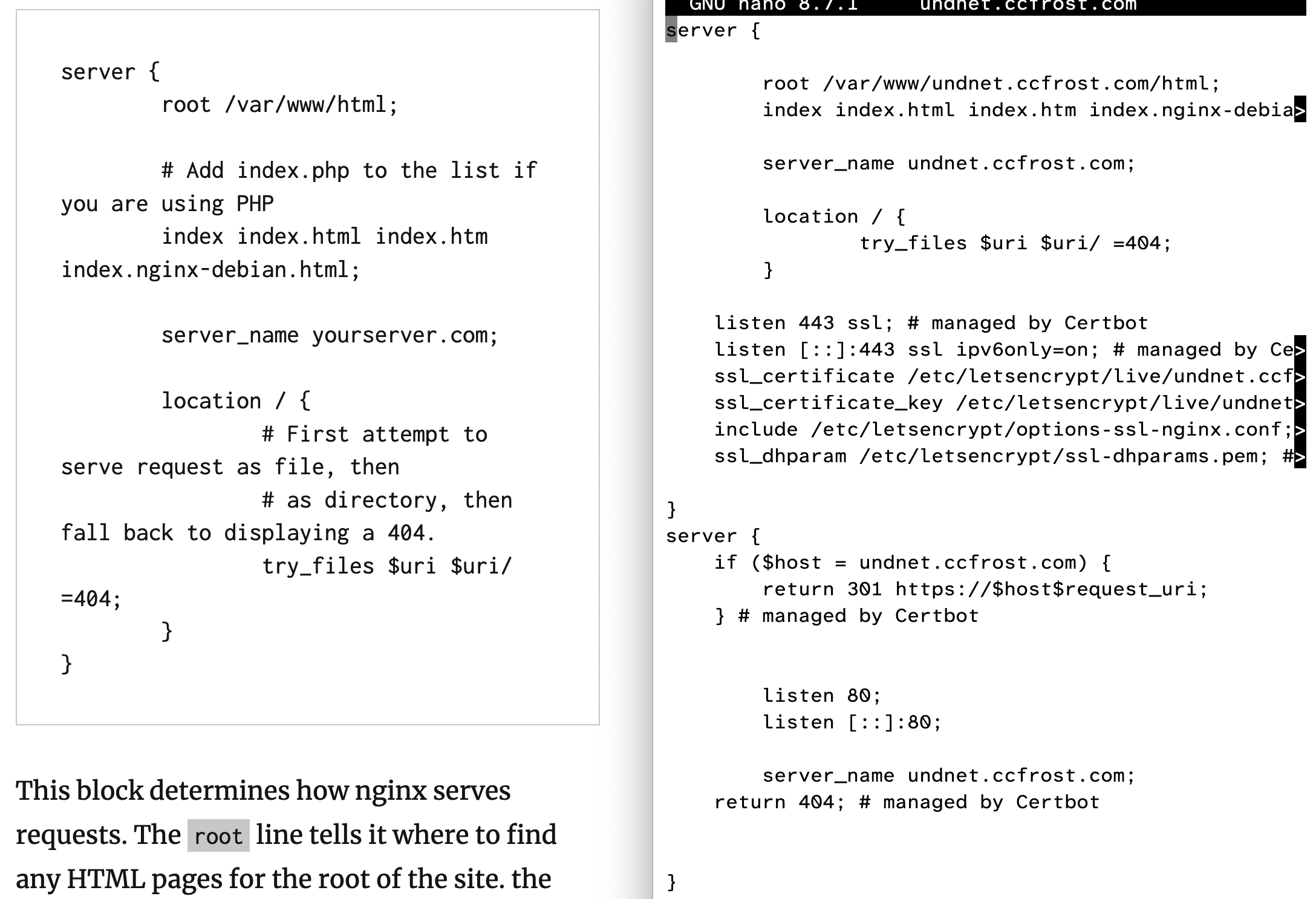
this is something that I really struggle with cognitively is following and adapting tutorials. this is a major struggle for me going back to when even I was a kid doing like, pi-hole stuff on my home network at the house. I can get the job done but it doesnt really stick and I struggle to adapt the context elsewhere. more practice I suppose.
I am skipping to the next section because I feel like I did all this and their config does not have https enabled. no certbot. Using the computer feels like fumbling around blind. just touching things. Overtime I get it more and more but, its so slow to learn where everything through touch.
Location Blocks
So I am putting something new into my file undnet.ccfrost.com called
location /evil {
    alias /home/ubuntu/html;
}
I expect this to give me a new html page when we go to this location, undnet.ccfrost.com/evil
ubuntu@ip-172-31-41-114:~$ touch index.html
ubuntu@ip-172-31-41-114:~$ ls
html  index.html
ubuntu@ip-172-31-41-114:~$ mv index.html ~/html
ubuntu@ip-172-31-41-114:~$ ls
html
ubuntu@ip-172-31-41-114:~$
I might be a god, just figured out mv, feeling good
ubuntu@ip-172-31-41-114:~/html$ nano index.html
ubuntu@ip-172-31-41-114:~/html$ cat index.html
<!DOCTYPE html>
<title> This page was written 10000% by my chubby human fingers </title>
<p> this page was written twice by my 100% chubby human fingers </p>
<p> I WROTE IT IN NANO, I USED MV </p>

ubuntu@ip-172-31-41-114:~/html$ cd
ubuntu@ip-172-31-41-114:~$ restart
Command 'restart' not found, did you mean:
  command 'rstart' from deb x11-session-utils (7.7+6build3)
Try: sudo apt install <deb name>
ubuntu@ip-172-31-41-114:~$ sudo systemctl reload nginx
ubuntu@ip-172-31-41-114:~$ sudo reboot
ubuntu@ip-172-31-41-114:~$ Connection to undnet.ccfrost.com closed by remote host.
Connection to undnet.ccfrost.com closed.
codyfrost@10-20-70-104 ~ %
Okay so, now I should be able to go to undnet.ccfrost.com/evil to see this page of mine, if not, time to debug
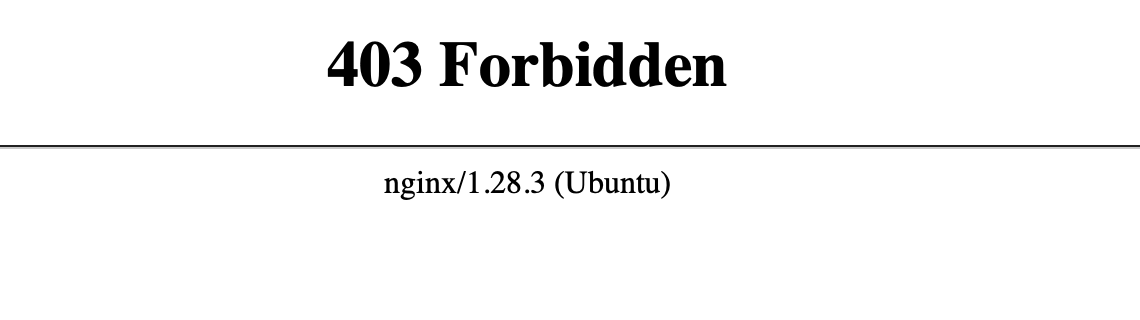
weird!
So I need to go to check the error log, it should be there. confirming with undnet.ccfrost.com/swag which throws this error instead. Claude over voice (i am using haiku) says its a permissions thing, let me check the documentation again.
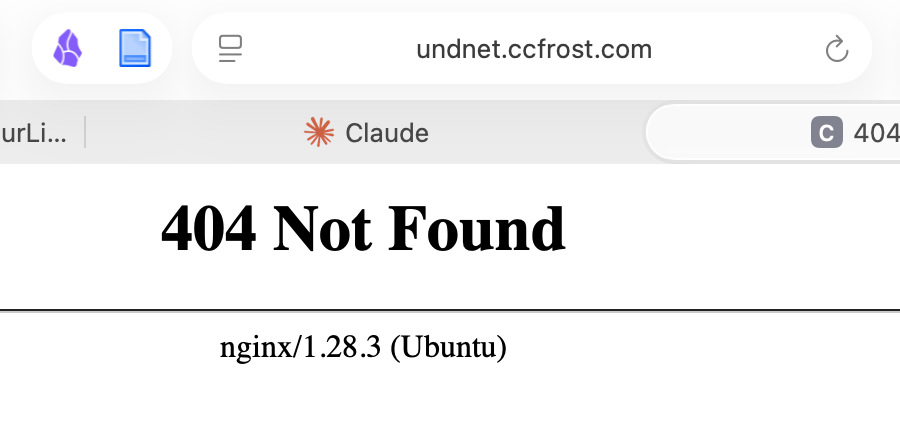
So I am going to use chmod to change the mode to allow anyone to read /evil, so I need to use o + r for others can read /evil
Running chmod o+x . from my home folder to give nginx perms to execute the folder to see whats inside, feels strange to execute a folder but I guess thats how it is.
Now I am running chmod o+r html/index.html which lets Others Read html/index.html
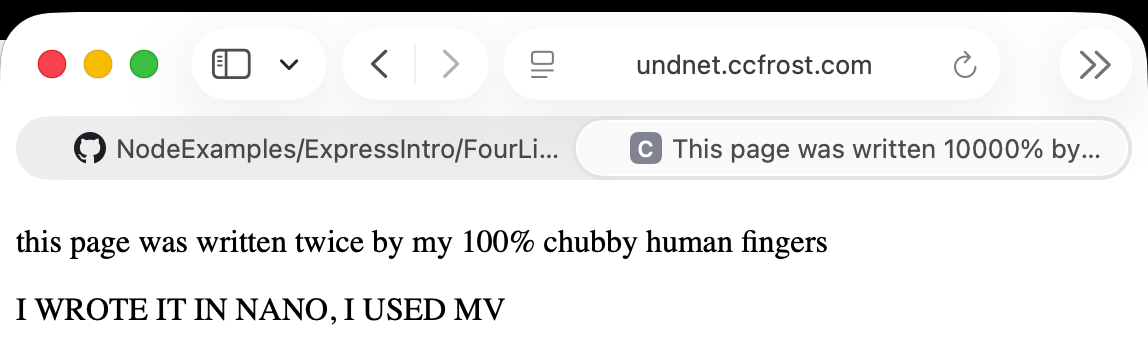
So sexy, this is thrilling.
implementing NODE
so I stumbled around like a drunk person till I found etc/nginx/sites-avalible Im back on front of the location blocks, and this time, I am going to make a little rest thing.
I wrote this first, but actually, I think its that I need to tell it hey, actually, look at my node js local host.
location /rest {
    alias /home/ubuntu/node;
}
so now I am changing it to this, from the guide
location /rest {
    proxy_pass http://localhost:8080;
}
I forgot to fucking sudo the nano, I guess this isnt my home folder anymore.
Re added and done, now lets check my ufw status
ubuntu@ip-172-31-41-114:~$ sudo ufw status numbered
Status: active

     To                         Action      From
     --                         ------      ----
[ 1] 22/tcp                     ALLOW IN    Anywhere
[ 2] 80/tcp                     ALLOW IN    Anywhere
[ 3] 443/tcp                    ALLOW IN    Anywhere
[ 4] 8080/tcp                   ALLOW IN    Anywhere
[ 5] 8081/tcp                   ALLOW IN    Anywhere
[ 6] 22/tcp (v6)                ALLOW IN    Anywhere (v6)
[ 7] 80/tcp (v6)                ALLOW IN    Anywhere (v6)
[ 8] 443/tcp (v6)               ALLOW IN    Anywhere (v6)
[ 9] 8080/tcp (v6)              ALLOW IN    Anywhere (v6)
[10] 8081/tcp (v6)              ALLOW IN    Anywhere (v6)

ubuntu@ip-172-31-41-114:~$
Oh SNAP 8080 is open from anywhere!
I deleted both rules, now I need to get it accessible from inside. This is a long command, so Ill copy and paste
sudo ufw allow from 127.0.0.1 to 127.0.0.1 port 8080 proto tcpit turns out actually I deleted 8081, so I turned back and did 8080 also
ubuntu@ip-172-31-41-114:~$ sudo ufw status numbered
Status: active

     To                         Action      From
     --                         ------      ----
[ 1] 22/tcp                     ALLOW IN    Anywhere
[ 2] 80/tcp                     ALLOW IN    Anywhere
[ 3] 443/tcp                    ALLOW IN    Anywhere
[ 4] 127.0.0.1 8080/tcp         ALLOW IN    127.0.0.1
[ 5] 22/tcp (v6)                ALLOW IN    Anywhere (v6)
[ 6] 80/tcp (v6)                ALLOW IN    Anywhere (v6)
[ 7] 443/tcp (v6)               ALLOW IN    Anywhere (v6)

ubuntu@ip-172-31-41-114:~$
firewall list then is as it stands, so Ill reload it
ubuntu@ip-172-31-41-114:~$ sudo ufw reload
Firewall reloaded
ubuntu@ip-172-31-41-114:~$ curl localhost:8080
curl: (7) Failed to connect to localhost port 8080 after 2 ms: Could not connect to server
so, nothing spitting info out there yet. I am going to create and copy paste over the folder.
A Node.js Template for Proxy Passing
I just took a million years and typed everything in. Pray for a spell issue free thing. Now, I dont know how to call it.
I need to remember how to curl a https
curl undnet.ccfrost.comgives me that error that it moves
I asked claude how to curl, and it went through everything before I could blink. it told me I needed to restart nginx and that I had a typo in the copying I did. ugh.
I told it, chill, dont solve anything, you can tell me things step at a time, slow down
first, I fixed the typo, it was obvious via the colors. I put a / instead of a '
It seems like NPM was not installed on my server, so no node, no express. I was surprised that express was not mentioned before in the guide.
So I have had to run sudo apt install node
sudo apt install npm
and sudo apt install express
And now I am install pm2 via npm, this will keep my server up and running
I spent a long time developing more functions, constantly making spelling mistakes and correcting them using this cycle
pm2 restart all powercycles it
nano node.js edits text
node node.js runs it with error message
pm2 stop all kills it so i can run node
and curl localhost:8080 were my main on the server side to make the changes. Everything was fairly easy, except the body parser error I dont understand, but implementing body parser made the difference.
on my side, the computer its more complicated
curl is bread and butter, it is Get automatically
-L lets me follow redirect
-X picks the method so PUT or DELETE
-d send the data, so I used "message=blablabla"
and if there is a -d Dont use -L
Okay so, here to the user:
| Get | undnet.ccfrost.com/rest |
| Get | undnet.ccfrost.com/rest/date |
| Get | undnet.ccfrost.com/rest/message |
| Post | undnet.ccfrost.com/rest |
| Delete | undnet.ccfrost.com/rest |
| Put | undnet.ccfrost.com/rest/message |