Understanding Networks — Professor Tom Igoe
Analyze Your HTTP Logs
There is no tutorial for this project, so I think I will just try to look for it on my server first, I bet its in logs.
So there is no logs. I tried svr, nothing, I tried tmp, nothing. I tried dev, nothing. I just opened var, its all here. Its weird that there is nothing in most folders.
cd log gets me in to where all the logs are held, I see them here and I see nginx
there are so many log files in here access.log access.log.1 access.log.10.gz its a wonderland of logs. Lets check out access.log first with my old friend cat
This file is HUGE. I am going to first try to probe it a little by hand and then I will hand it off to claude to do more thorough analysis.
So Im going to practice pulling the cat around by its tail. (why is IT so cruel)
tail access.log -n 1 give me this:
68.183.115.139 - - [17/Nov/2026:16:08:59 +0000] "GET /favicon.ico HTTP/1.1" 404 197 "http://3.139.120.47/" "Mozilla/5.0 (X11; Linux x86_64) AppleWebKit/537.36 (KHTML, like Gecko) Chrome/153.0.0.0 Safari/537.36"which means that 68.183.115.139 accessed my ec2 instance to get the favicon at 16:08:59 that must be UTC, so this happened 6 minutes ago from when I am writing this.
whois for 68.183.115.139 tells me that digital ocean was accessing my site. This is probably a classmate who is exploring my site before class.
claude says, they were loading my server and their site went to GET my favicon.ico but theres nothing there, so they got a 404.
so we got tail, lets try head.
head -1 access.log returns the below
147.224.196.175 - - [17/Nov/2026:00:37:36 +0000] "GET /.env.production HTTP/1.1" 404 134 "-" "WebSiphon/next-0.1"this is arin? or the american registry for internet numbers? I dont remember why these come up. it says Oracle routing. So I think its oracle.
The log must be going day by day because this message came to me at 00:37.
It looks like they did a GET to my site /.env.production HTTP/1.1" and got a 404. I could spend time googling around for what web siphon is or I could ask claude on my phone over voice chat, which i will proceed to do.
Claude says this is a bot poking around my server looking for API keys in /.env, Im glad they got a 404, this is freaky.
My server also sent a byte size of 134 back to them.
I want to know more about whose poking around on my site right now so lets get away from head and back to tail.
This is an interesting set of log files:
94.102.49.190 - - [17/Nov/2026:15:09:03 +0000] "GET / HTTP/1.1" 200 479 "-" "Mozilla/5.0 (X11; Linux x86_64) AppleWebKit/537.36 (KHTML, like Gecko) Chrome/98.0.4758.102 Safari/537.36"
94.102.49.190 - - [17/Nov/2026:15:09:09 +0000] "" 400 0 "-" "-"
94.102.49.190 - - [17/Nov/2026:15:09:10 +0000] "GET /robots.txt HTTP/1.1" 404 162 "-" "-"
94.102.49.190 - - [17/Nov/2026:15:09:10 +0000] "GET /sitemap.xml HTTP/1.1" 404 162 "-" "-"
94.102.49.190 - - [17/Nov/2026:15:09:11 +0000] "GET /.well-known/security.txt HTTP/1.1" 404 162 "-" "-"
94.102.49.190 - - [17/Nov/2026:15:09:11 +0000] "GET /favicon.ico HTTP/1.1" 404 197 "-" "Mozilla/5.0 (Windows NT 10.0; Win64; x64) AppleWebKit/537.36 (KHTML, like Gecko) Chrome/102.0.5005.63 Safari/537.36"
I am drawn here because its the same IP across all. It looks like theyre looking for something on http, and they FIND IT. Then the next line which I dont understand, 400. Claude says this means the client connected and sent something that was not valid HTTP. After this, it must be a bot the way to go straight for robots.txt, then the site map, then something hidden to me called /.well-known/security.txt and then the good old favicon error.
lets start off with whois for the IP. The information returned says this is ripe.net
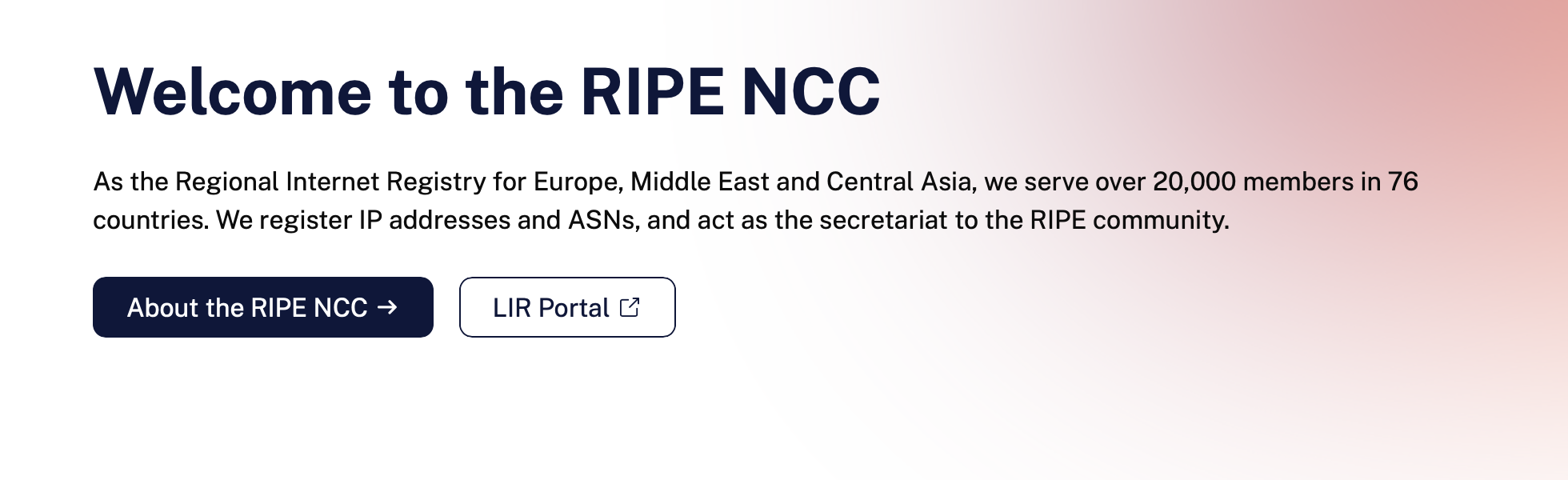
Its probably not them who is probing me, I think its IP Volume Inc, located in address: House of Francis, Room 303, Victoria, English River, Seychelles.
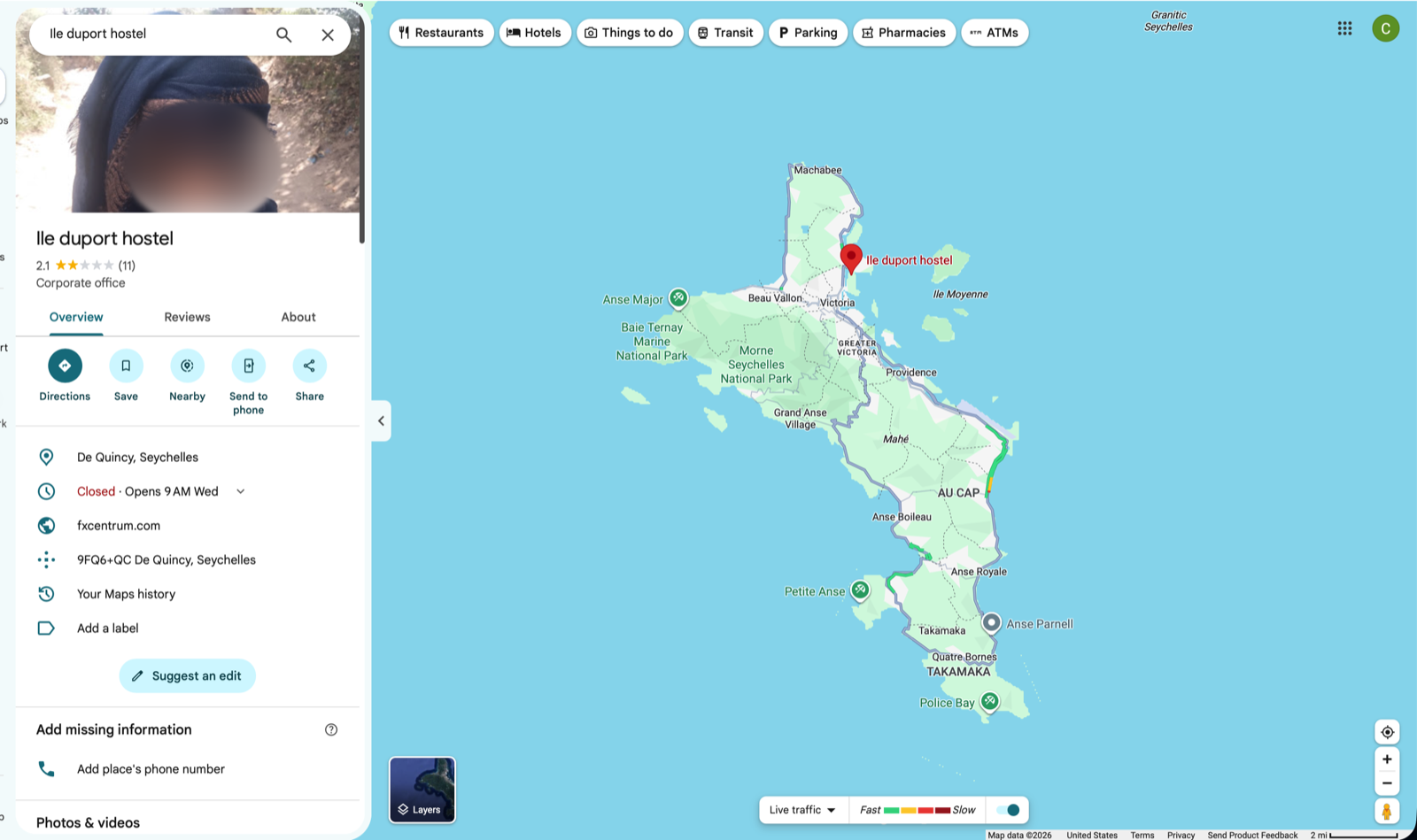
okay now were getting somewhere, this must be the owner
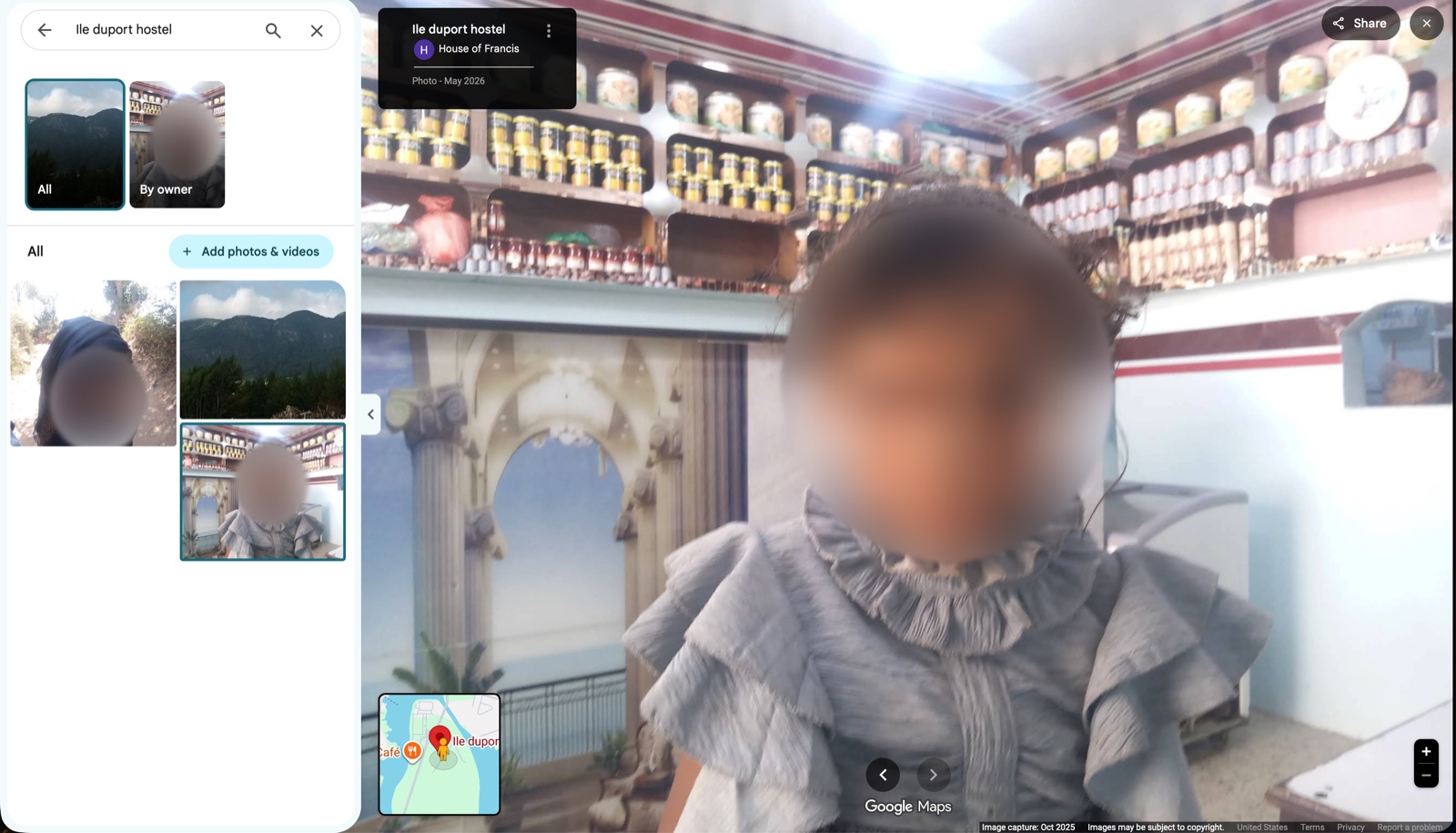
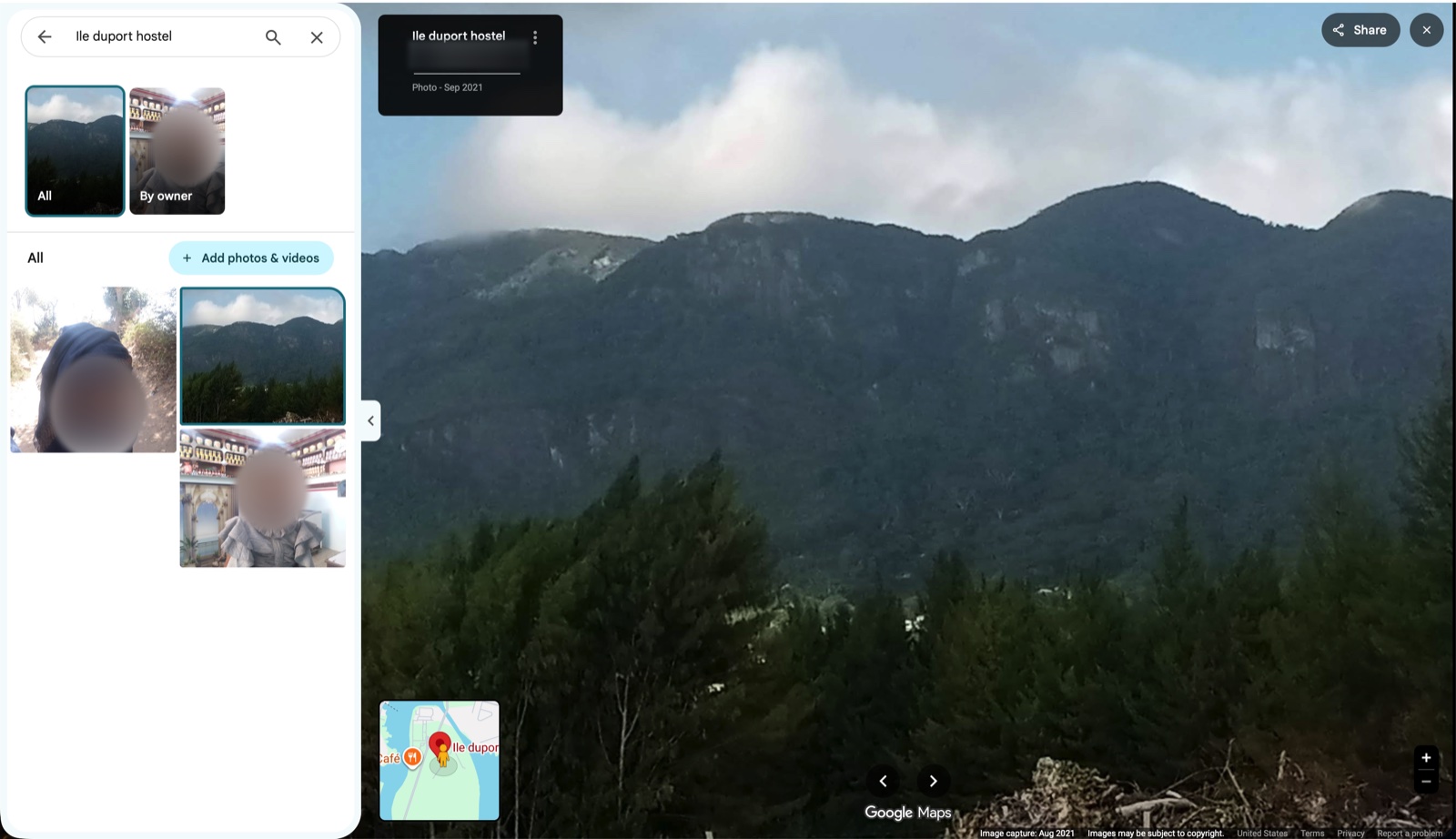
its beautiful there, which is where exactly??
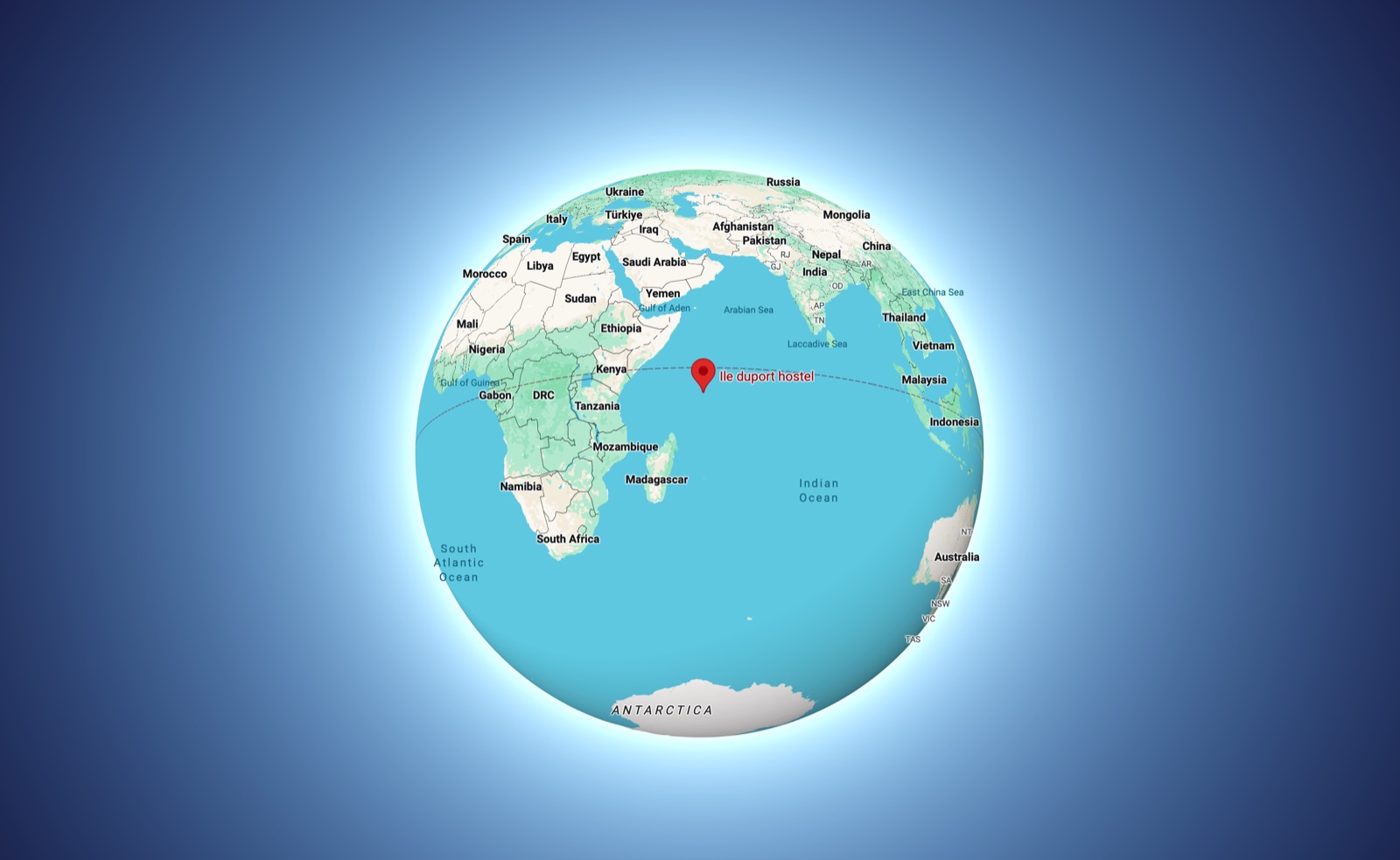
Oh. It is funny that theyre managed by a registry for europe asia and the middle east because maybe better they could get IP's from the lost kingdom of atlantis. I think this place is probably spam island. How do they even get internet through there?
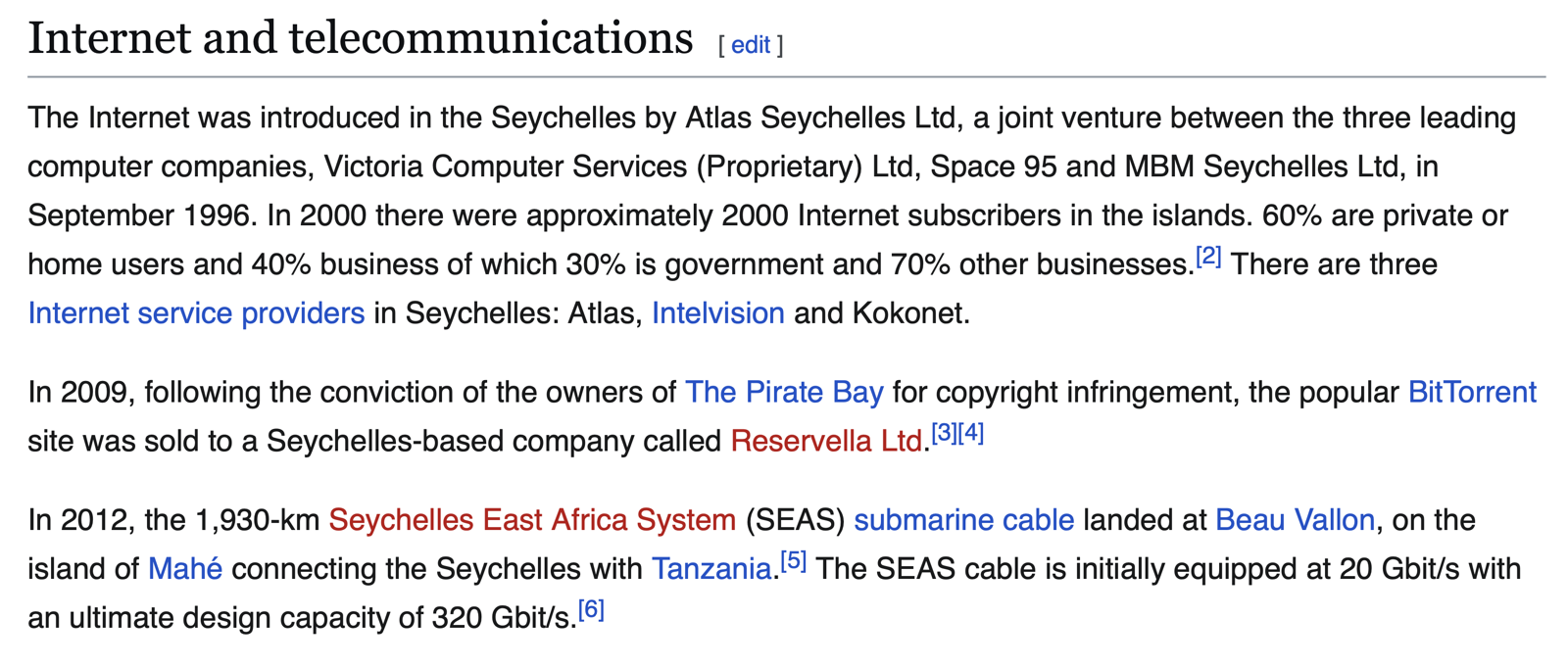
It looks like they got a submarine cable.
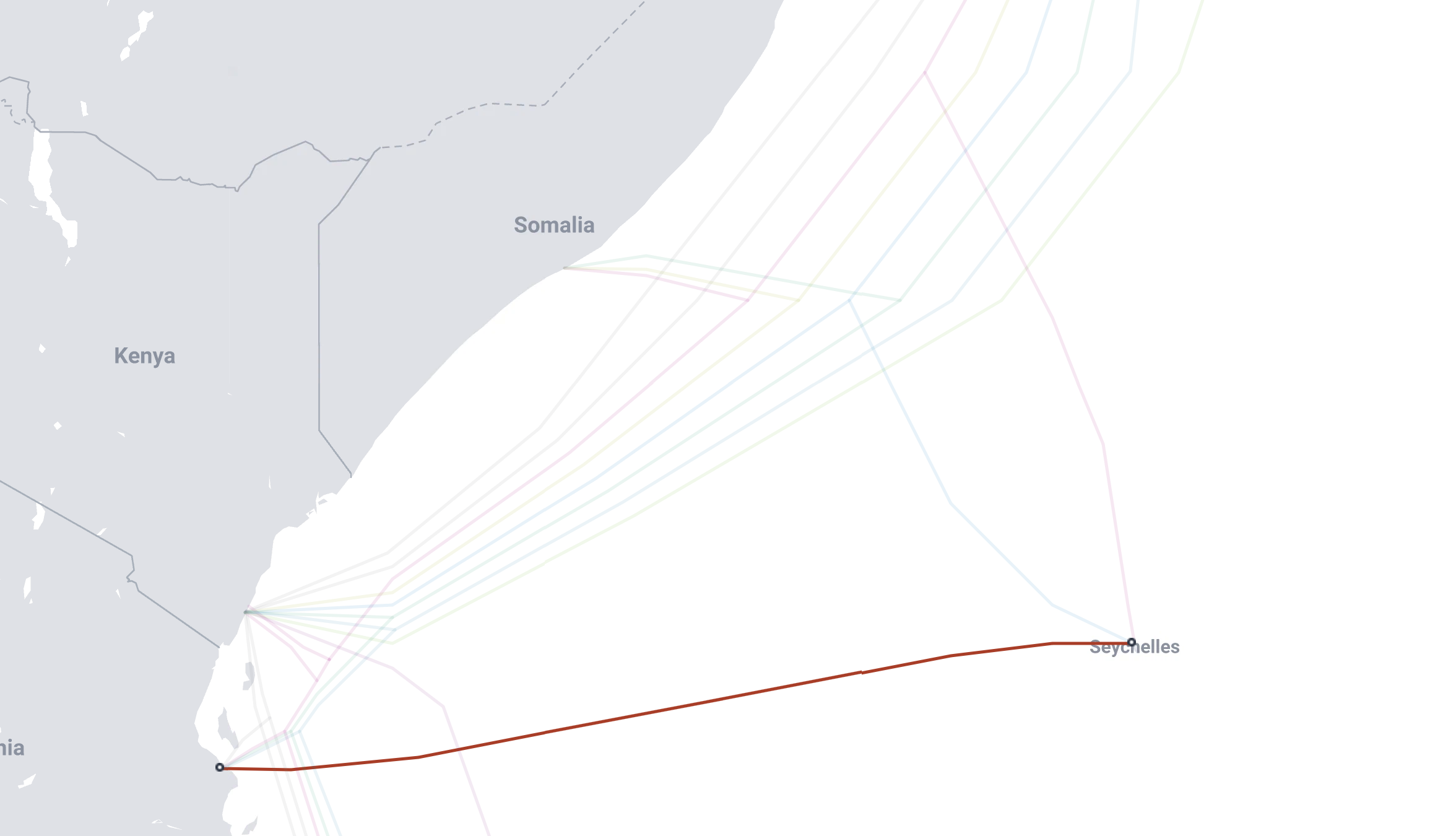
Oh never mind they have three. WTF?
Claude says the IP is probably just registered to there, that makes sense to me. Apparently there was a scandal where a Seychelles company got a lot of IPV4 addresses meant for africa and rented them out all over the place.
Claude reminded me to run nslookup on the address which tells me its flower.census.shodan.io, a search engine for IOT things. It seems like its running in the netherlands and running with an IP from Seychelles.
Back to, oh wait, what was I doing? Back to my server.
The other IP addresses on my recent tail are pretty boring. Another identifies itself as being from Palo Alto Networks, just scanning for Get / HTTP/1.1
I just ran a very similar scan on my computer and got this back. I guess theyre just on my homepage.
<html>
    <head>
        <title>Welcome to undnet.ccfrost.com!</title>
    </head>
    <body>
        <h1>This is the home of hand written and copy pasted undnet hom
        ework stuff.</h1>
        <h2> I really cant believe people worked like this </h2>
        <h3> its really slow and annoying to have to type it all out
                 </h3>
        <h4> and worry about my line breaks and stuff</h4>
        <h5> but I guess it is kinda fun </h5>
    </body>
</html>
Lets turn the heat up a little bit. I want to transfer the log to my computer so I can have claude analyze it deeply. I have a recommendation for a command:
ssh undnet "cat /var/log/nginx/access.log" > access.logThis put it in my home folder, so I bounced it through my file system with mv and mkdir into something new in my documents/_edu for understanding networks
claude in that folder with the prompt analzie access.log in this folder
unsurprisingly a lot of what it has is from my work with REST last night.
Claude is working on the first analysis, so after I see that, I am going to get the rest of the data for a fuller analysis.
I am running scp "undnet:/var/log/nginx/*" nginx-logs
Just for all the haters out there, yes, I really typed that in. as evidenced by the fact that I spelled it wrong and now I have to do other stuff to fix it
codyfrost@10-20-70-104 UnderstandingNetworks % mkdir nginx-logs
codyfrost@10-20-70-104 UnderstandingNetworks % cd nginx-logs
codyfrost@10-20-70-104 nginx-logs % scp "undnet:/var/log/nging/*" nging-logs/
scp: remote readdir("/var/log/nging/"): No such file or directory
scp: /var/log/nging/*: No such file or directory
codyfrost@10-20-70-104 nginx-logs % scp "undnet:/var/log/nginx/*" nging-logs/
access.log                               100%   58KB 343.0KB/s   00:00
access.log.1                             100%   66KB 879.3KB/s   00:00
access.log.10.gz                         100% 8218   154.2KB/s   00:00
access.log.11.gz                         100% 6444   139.5KB/s   00:00
access.log.12.gz                         100%   11KB 231.0KB/s   00:00
access.log.13.gz                         100%   11KB 218.4KB/s   00:00
access.log.14.gz                         100%   10KB 225.2KB/s   00:00
access.log.2.gz                          100% 9848   172.5KB/s   00:00
access.log.3.gz                          100%   15KB 306.4KB/s   00:00
access.log.4.gz                          100% 7123   149.9KB/s   00:00
access.log.5.gz                          100% 8425   173.5KB/s   00:00
access.log.6.gz                          100%   21KB 157.2KB/s   00:00
access.log.7.gz                          100%   10KB 220.7KB/s   00:00
access.log.8.gz                          100% 5820   116.9KB/s   00:00
access.log.9.gz                          100% 8688   174.1KB/s   00:00
error.log                                100% 2249    18.0KB/s   00:00
error.log.1                              100% 1179    25.3KB/s   00:00
error.log.2.gz                           100%   95     2.1KB/s   00:00
error.log.3.gz                           100%   95     2.0KB/s   00:00
codyfrost@10-20-70-104 nginx-logs % ls
nging-logs
This is a really horrible world for dyslexics.
While claude is working on Vis 1 of just the most recent logs, I will check out cp and scp.
cp is a copy command, so where I have been using mv, I could be using cp if I was to copy instead of move. it looks like its just used the same with cp one-folder another-folder being typical use. man cp seems pretty readable and short, which is nice. Claude wanted to tell me about -R, which lets you copy a directory and its entire subtree. Adding a / makes it copy the contents of the directory, so thats cool. I ran a command with a star at the end, but I think based on this I should have been able to run it without that.
scp is like cp but first, in the command, you tell it where to ssh into the thing first. This is helpful and less steps than rsync or git, and I look forward to using it to transfer files around on my computer in the future.
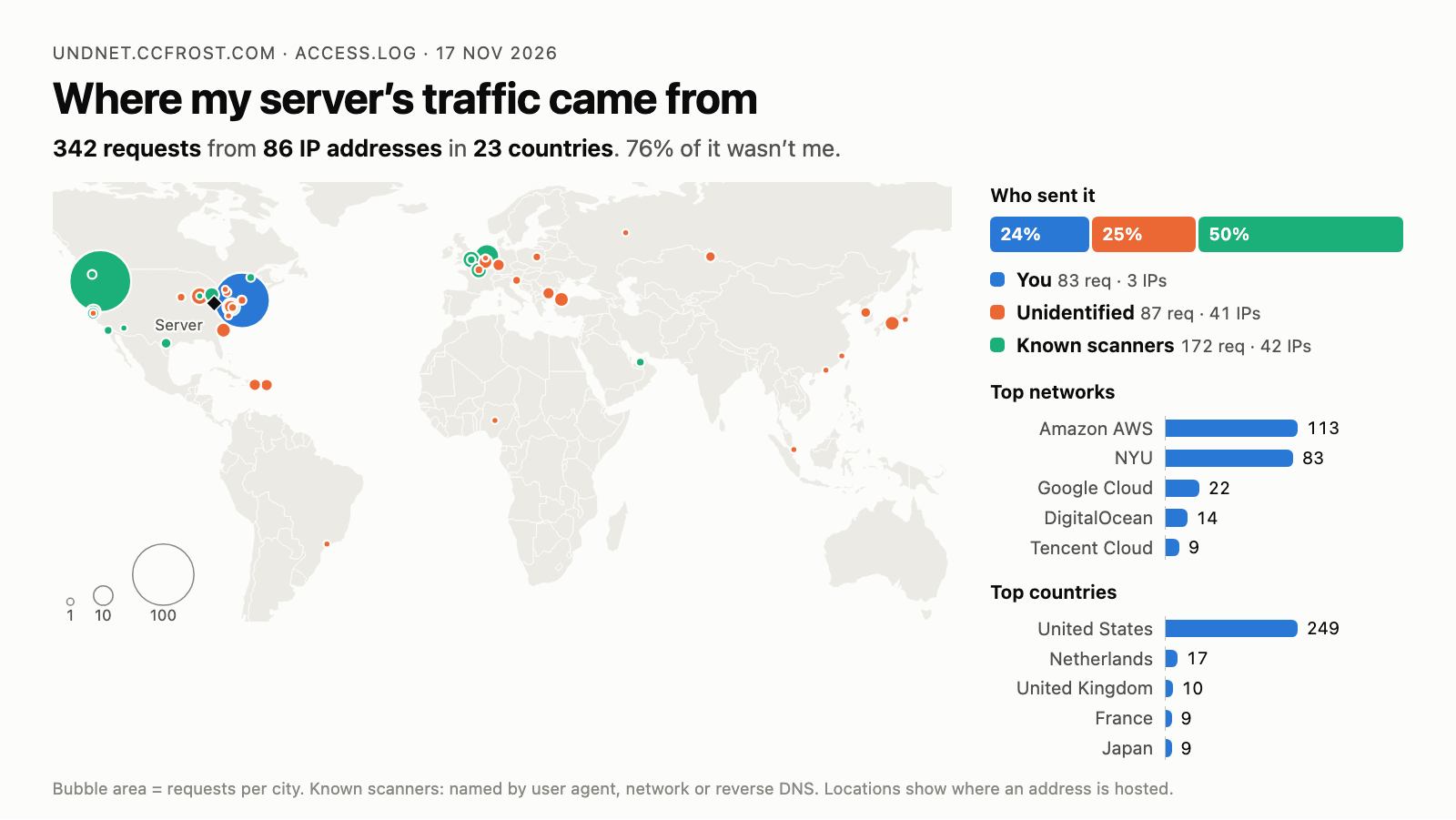
Claudes analysis of the most recent access.log file. About a quarter of the recent traffic was from me last night, a similar amount was binary edge scanner on AWS Oregon. Another similar portion was from creepy probes all over the world
Most Recent Log:
All Logs
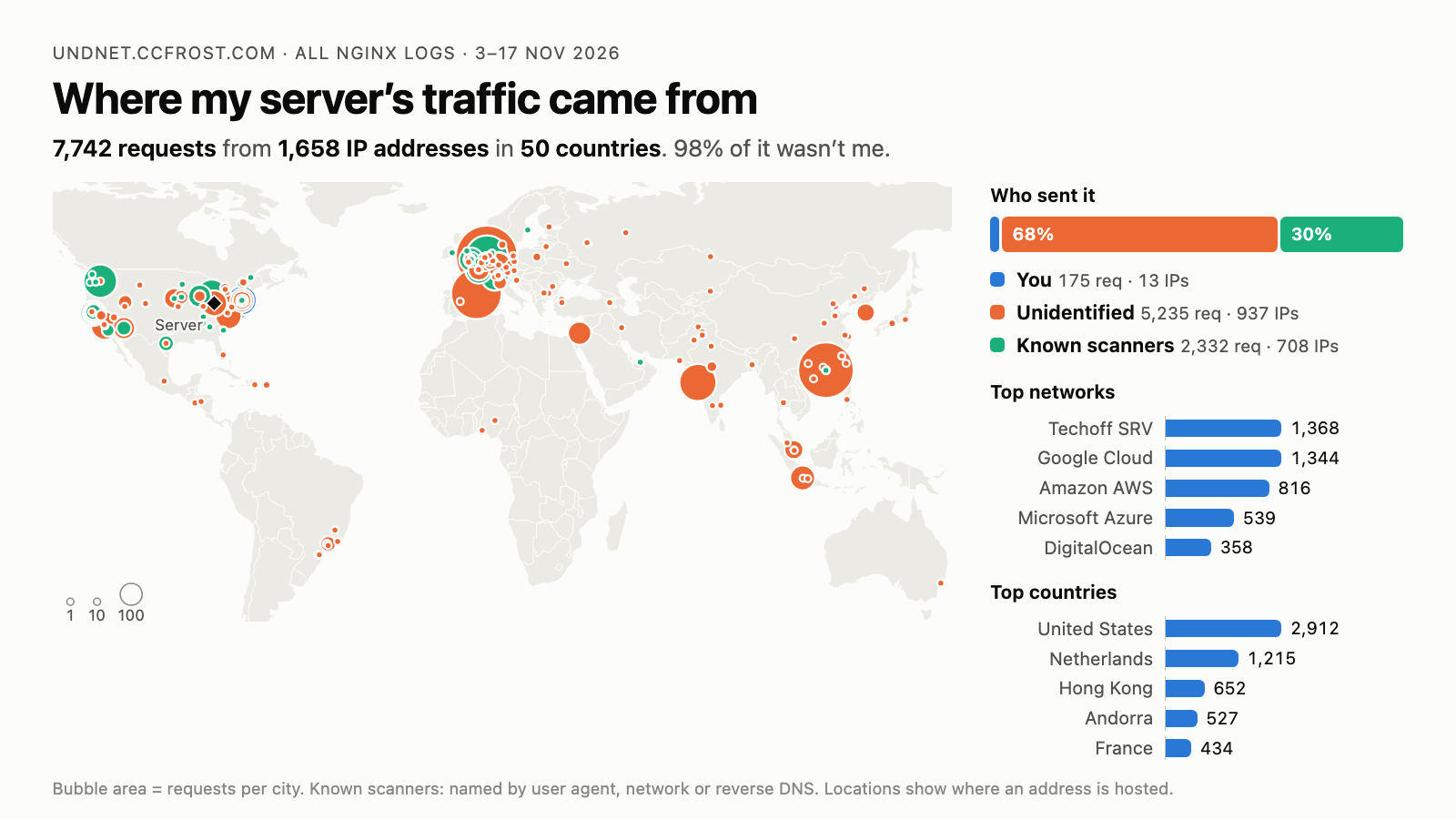
Claude counted 7,742 requests from 1,658 IP addresses over the 15 days. 859 of them only made one request, 23 made more than 50, and the busiest one made 758. The busiest hour was noon in New York (17:00 UTC) with 1,084 requests, but 363 of those were one scanner in a single hour on 11 Nov, which was also the busiest day with 1,305.
NYU Specifically
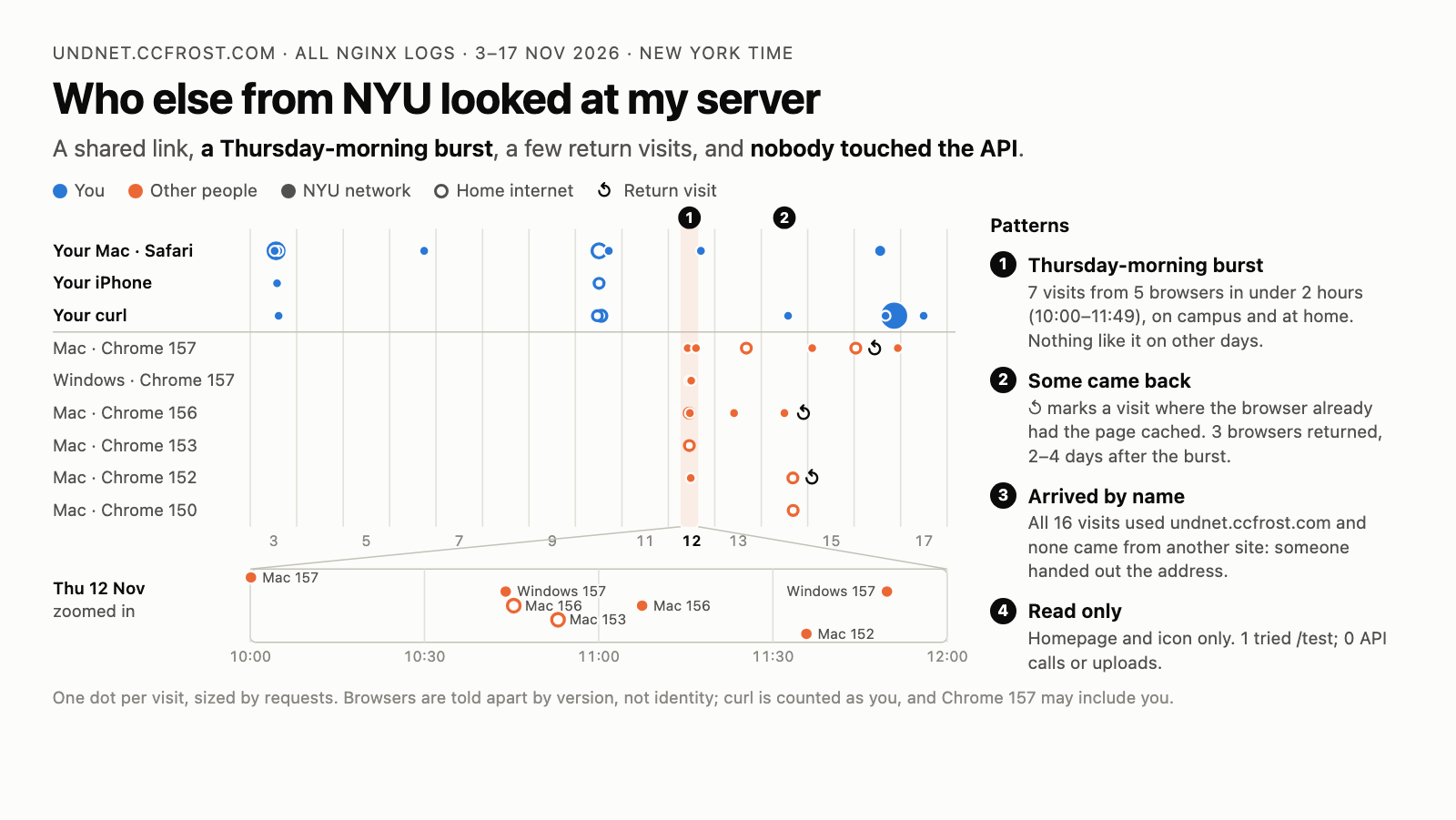
I had claude spin up some stories about weird stuff in my logs, its really horrible at stories and explaining, but I will link it below for anyone interested. it did find some good stuff